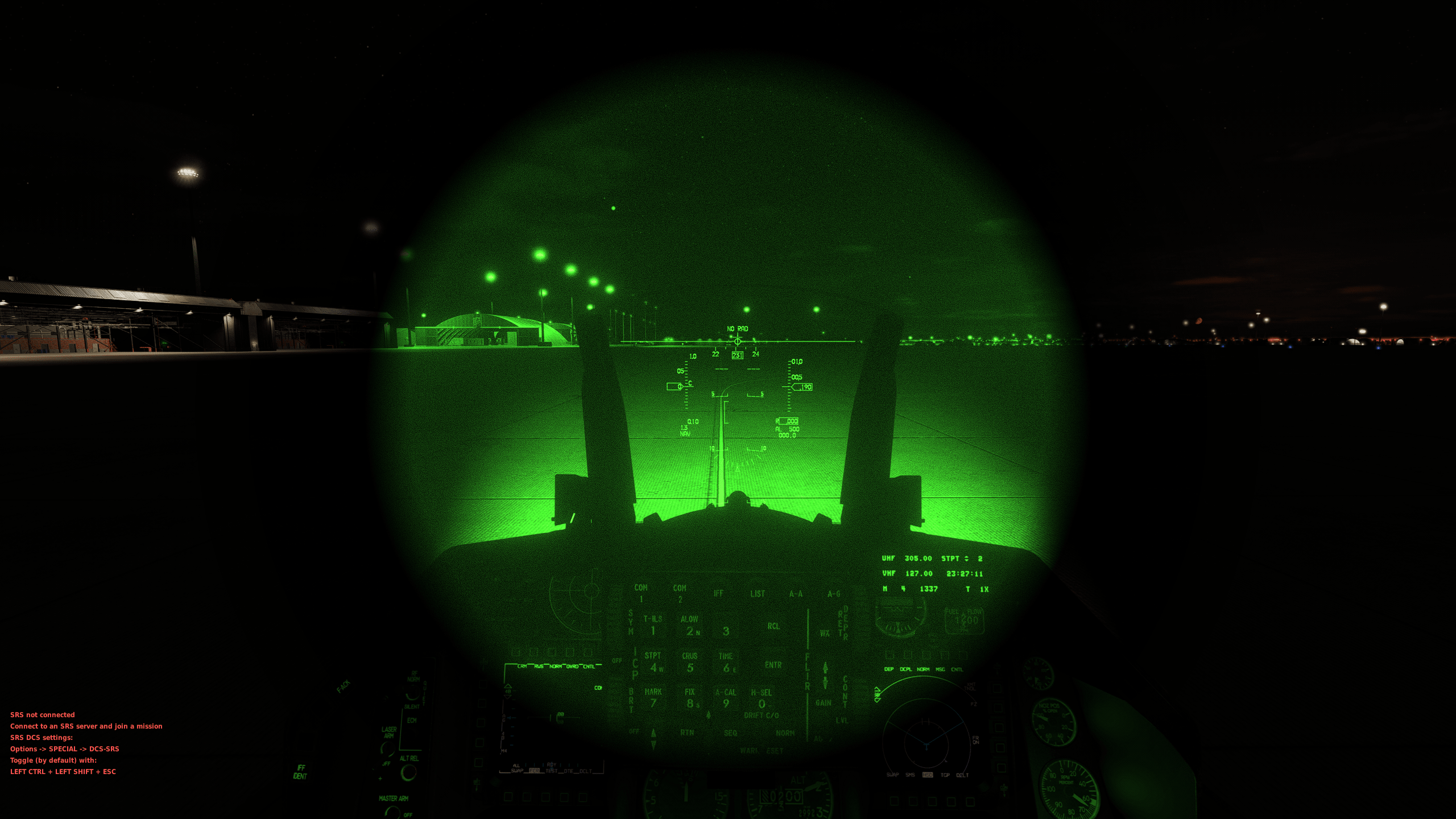
This mod is a native DCS World NVG core shader enhancement, built directly on the game’s original shader system.
It does NOT use ReShade or any external post-processing tools.
Youtube How to Use Installation Link : "https://youtu.be/GmC1CCbwHKM"
Goals:
Improve NVG image clarity and realism
Preserve HUD and MFD readability
Avoid crashes and performance issues
Features
4 selectable NVG color modes:
Green
White
Blue
Red
Adjustable:
NVG brightness (Gain)
Blur strength
Subtle film grain / noise
HUD-friendly contrast
Engine-safe, native shader modification
OVGME / JSGME compatible
How to Configure
Simply change this line at the top of the shader file:
#define NVG_COLOR_MODE 0
Color selection:
0 → Green NVG
1 → White
2 → Blue NVG
3 → Red NVG
Film grain control:
float NVG_GRAIN_AMOUNT = 0.02;
0.00 → Disabled
0.01 → Very subtle (recommended)
0.02 → Light
0.03 → Strong
After editing:
Disable → Enable the mod in OVGME/JSGME
Launch DCS World
Bu mod, DCS World’ün kendi NVG (Night Vision Goggle) core shader’ını temel alarak hazırlanmış, engine-safe bir geliştirmedir.
ReShade veya harici post-process araçları KULLANILMAZ.
Youtube Nasıl Yüklenir Link : "https://youtu.be/GmC1CCbwHKM"
Amaç:
NVG görüntüsünü daha doğal ve net hale getirmek
HUD / MFD / rakam okunurluğunu korumak
Çökme (crash) ve performans sorunlarını önlemek
Özellikler
4 farklı NVG rengi:
Yeşil (Green)
Beyaz / Phosphor (White)
Mavi (Blue)
Kırmızı (Red)
Ayarlanabilir:
NVG parlaklık (Gain)
Blur miktarı
Hafif film grain / karıncalanma
HUD dostu kontrast
DCS native shader yapısı (OVGME / JSGME uyumlu)
Nasıl Ayarlanır?
Kodun en üst kısmındaki satırı değiştirmeniz yeterlidir:
#define NVG_COLOR_MODE 0
Renk seçimi:
0 → Yeşil NVG
1 → Beyaz / Phosphor NVG
2 → Mavi NVG
3 → Kırmızı NVG
Karıncalanma (grain) ayarı:
float NVG_GRAIN_AMOUNT = 0.02;
0.00 → Kapalı
0.01 → Çok hafif (önerilen)
0.02 → Hafif
0.03 → Belirgin
Değişiklikten sonra:
Modu OVGME/JSGME’de Disable → Enable yapın
DCS World’ü başlatın.