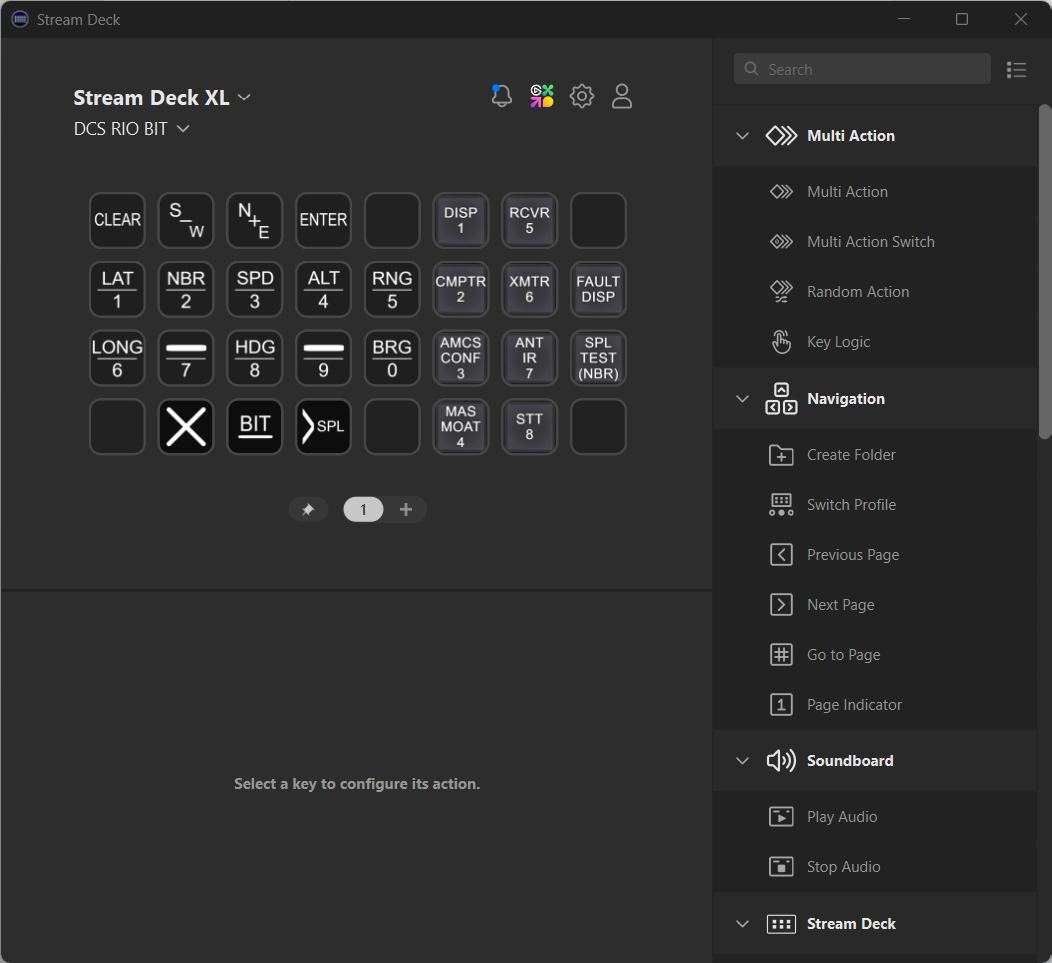
This is an edit of Metal-Material's standard Stream Deck profile seen on Reddit here:
https://www.reddit.com/r/hoggit/comments/vepxbq/put_the_cap_and_radar_controls_for_the_f14_rio_on/
This is for the Stream Deck XL.
My edits are a bit more simple than the original, but with the extra buttons on the XL model, it allows you to run the keyboard on all screens.
I also removed the radar controls, as I have additional buttons on different hardware for those.
General install instructions for the Stream Deck to work with DCS here:
https://youtu.be/RPKnp6PJU7U
DCS Interface for Stream Deck is here:
https://github.com/enertial/streamdeck-dcs-interface
DCS ExportScripts is here:
https://github.com/asherao/DCS-ExportScripts
Stream Deck software is here:
https://www.elgato.com/us/en/s/downloads
After you've followed those steps, unzip my DCS_RIO_StreamDeckXL.zip file and run each file within to install the profiles to your Stream Deck.
By default, DCS ExportScripts only installs a configuration for the F-14B. If you'd like this to work for the F-14A-135-GR or F-14A-135-GR-Early as well, do the following:
1. Create a copy of C:\Users\%USER%\Saved Games\DCS\Scripts\DCS-ExportScript\ExportsModules\F-14B.lua in the same folder.
2. Rename the "F-14B - Copy.lua" file to "F-14A-135-GR.lua" or "F-14A-135-GR-Early.lua" depending on what you want, or both if you fly them all.
Updated 30 October 2025 to try and fix the desync on switching between pages.