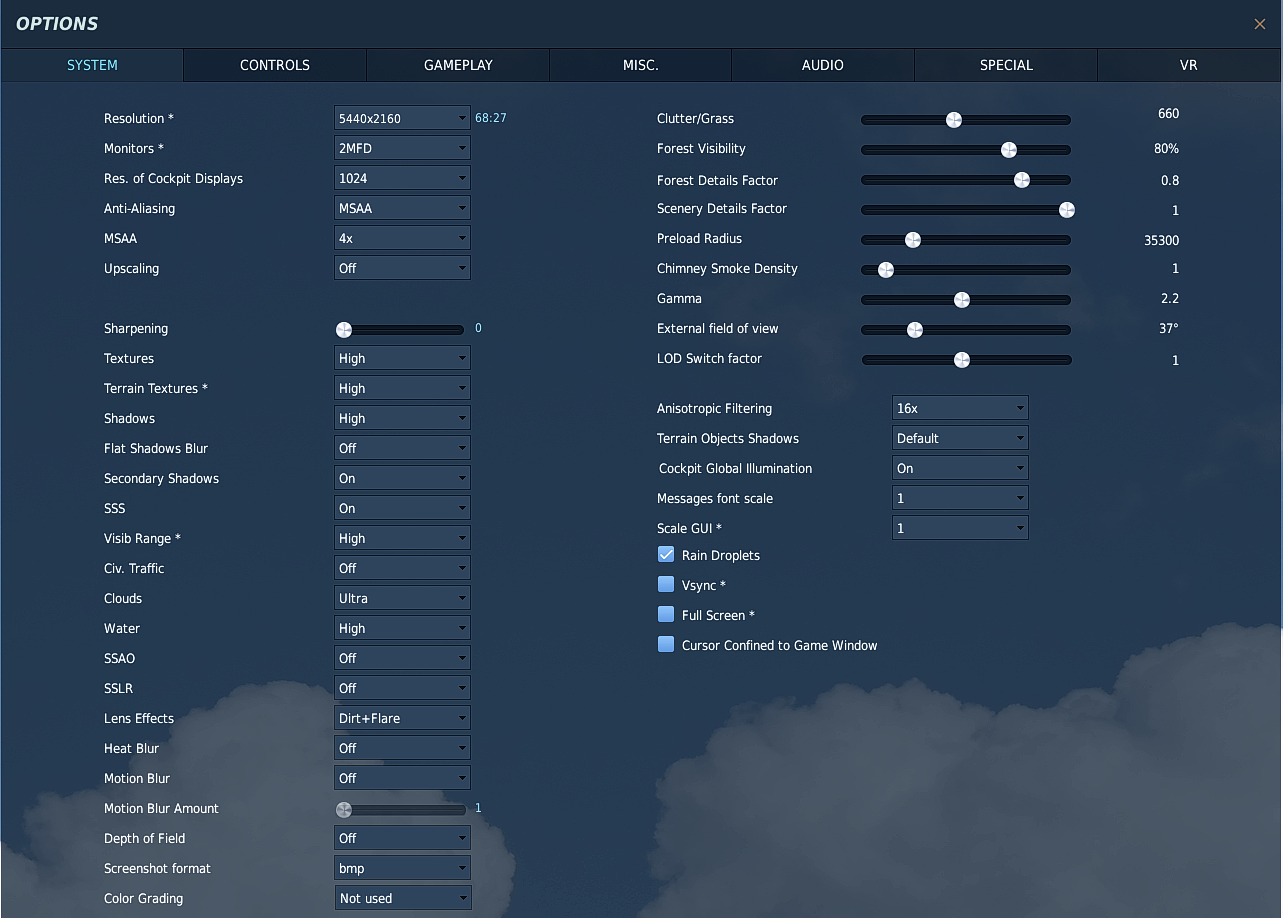
***Updated*** Attached are my personal DCS Performance Settings, which work very well for me, and have been a result of years of trial and error.
***Upd ated***
-Changed FXAA to 'Off', MFAA to 'On'
-Fixed typo: "Turn off GSYNC in DCS Settings" to "Turn off Vsync in DCS Settings"
-Added settings for both DLAA/DLSS and MSAA
I noticed quite a few people struggling to find good settings which allow them to enjoy DCS with great performance. Attached is a checklist/guide to help you se t up DCS how I do, and see if this improves your experience. It is a quick and simple guide structured in the order I either check on my settings after a big Windows update, or my procedure for updating video drivers.
Some settings need only set once, and others must be set anytime you update video drivers. I included my Nvidia Control Panel checklist, which I run through when resetting my NCP settings after driver updates. My settings may not work for you.
My system: Intel Core i7 8700K @ 5.3GHz, Asus 3090 RTX, 32Gb DDR4, M.2 nvme SSD (All single drive), Track IR 5, no VR