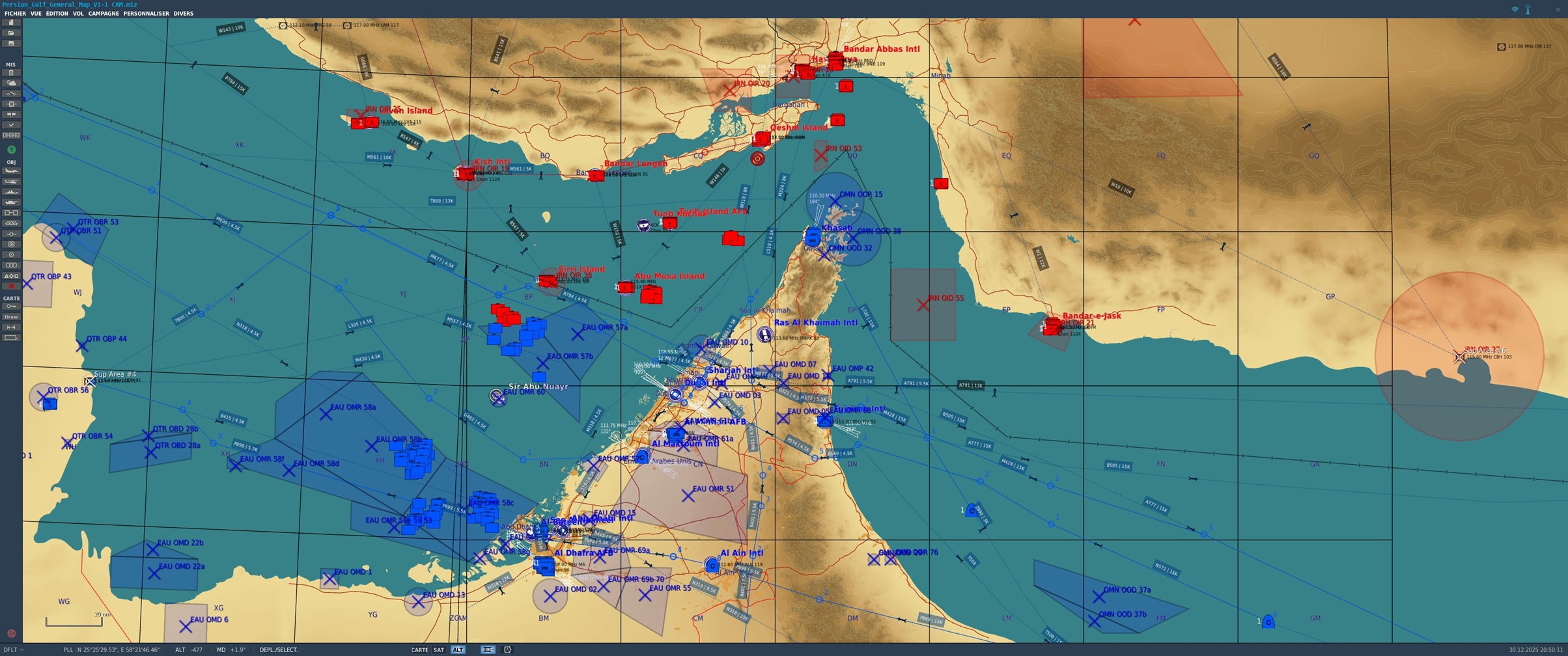
A new issue of my previous Persian Gulf map including airways !
EDIT - December 2025 - V2
Based on the observation that setting up every single parameter for each mission can be quite borring, I propose here a map that includes:
- detection zones for the majority of controlled airspaces (xxD: Danger – xxR: Restricted – xxP: Prohibited),
- air defense systems for most airbases,
- oil platforms and pumping stations for several oil fields.
In addition - December 2025 :
Since the last version of this file, I have added the main air routes of the Gulf of Oman to the map, based on the website: https://skyvector.com/
Obviously, they are not all included, as there are far too many in reality.
Nevertheless, I believe this should be sufficient for creating complex scenarios that include civil aviation flights. Of course, nothing prevents you from adding more ????
As the DCS drawing tool is rather limited, I followed the convention below for air routes:
- In a label, the code on the left is the route name; the number on the right is the minimum altitude. Example: B505 | 15K – Route B505, minimum altitude 15,000 feet.
- Arrows aligned with the routes obviously indicate their direction.
- Orthogonal arrows indicate that no specific direction is defined.
- The vast majority of route intersections are navigation waypoints. There are a few exceptions, but well…
- When an airport is not modeled on the map, I added a “Suppression Area” to deactivate units that enter it.
Note on the air defenses of Sirri and Abu Musa islands: defensive fire only, since without this setting I noticed that they were shooting down civilian aircraft entering their area.
For owners of the excellent CAM (Civil Aviation Module), I added a few flights to the map, but they are hidden. Their radio frequency is unique: 127.800
To add events or new flights spawning over time without a fixed schedule, I prepared a series of markers:
15 min: Marker 1 = active
30 min: Marker 2 = active
45 min: Marker 3 = active
60 min: Marker 4 = active
75 min: Marker 5 = active
90 min: Marker 6 = active
105 min: Marker 7 = active
120 min: Marker 8 = active
The map is starting to become very cluttered. Do not forget the display options in the toolbar on the left side of the screen:
- The key icon allows you to hide/show units that are not set to be hidden
- The unit list allows you to display units that are set to be hidden
That’s it—I hope you will enjoy this painstaking work!