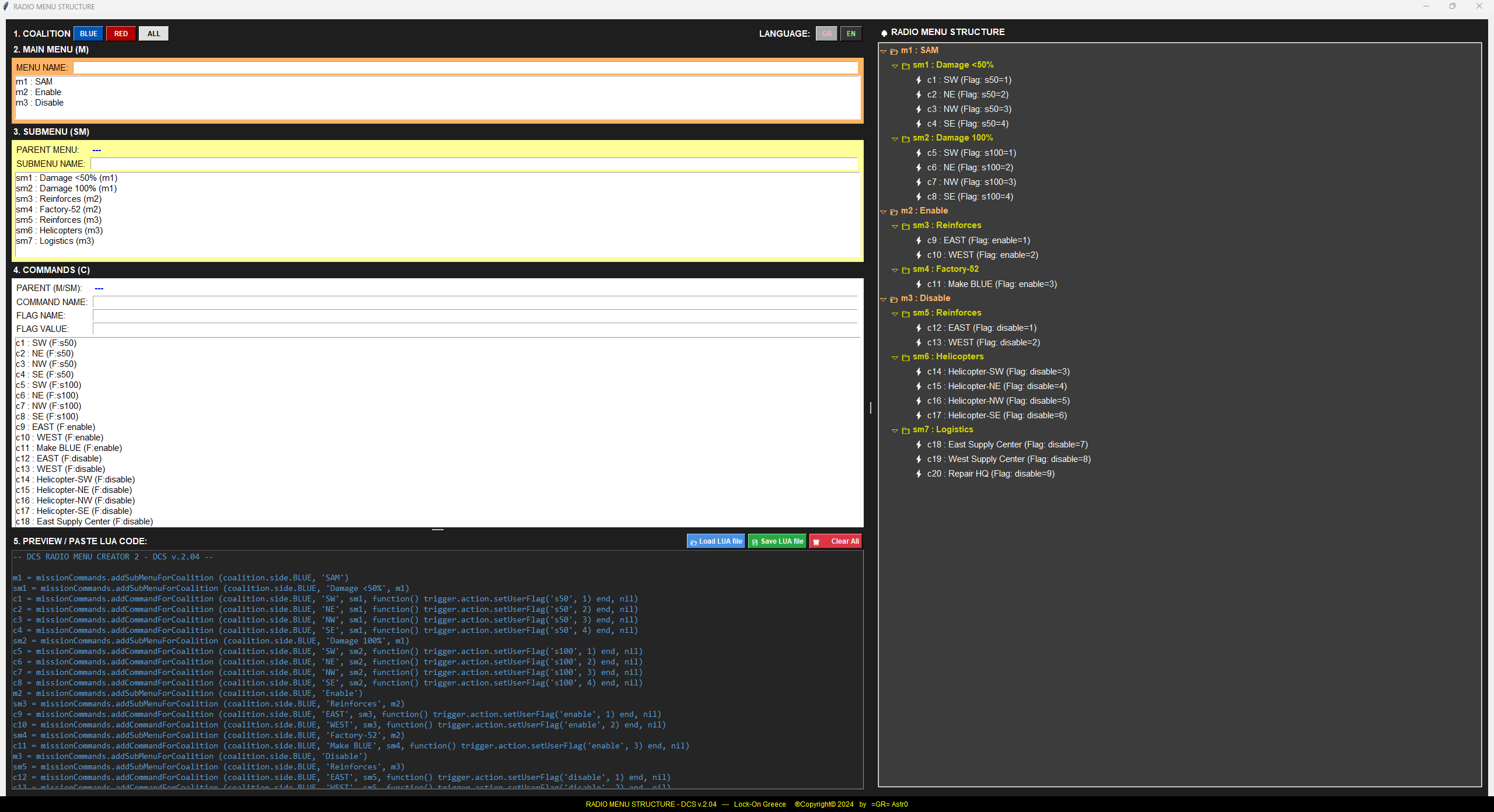
Easy way to create your own radio menus for ALL, BLUE and RED COALITION.
RADIO MENU CREATOR 2 - DCS
Easy way to create your own radio menus for ALL, BLUE and RED COALITION.
----------------------------------------------------------------------------------------
ALTERNATIVE DOWNLOAD: https://github.com/astrolavos1998/AstroSuite-DCS
----------------------------------------------------------------------------------------
NEW 30.12.2025 new version RADIO MENU CREATOR 2 - DCS v.2.04
* Add buton "Load LUA file".
NEW 20.12.2025 new version RADIO MENU CREATOR 2 - DCS v.2.03
* Fully editable.
* Ability to create the menu for ALL, BLUE and RED COALITION.
NEW 17.11.2025 new version RADIO MENU CREATOR 2 - DCS:
* New generation for the application.
* Updated the application with a graphical environment.
* Now you can load from a lua file, but also with copy/paste entire menu.
* Everything happens amazingly faster, safely.
NEW 10.07.2024 ver 1.7:
* Fixed a bag at submenu.
NEW 10.07.2024 ver 1.6:
* Fixed and now it can accept alphanumeric name in flag.
* Fixed and now it can accept 0 as value in flag.
NEW 13.03.2024 ver 1.5:
* Graphical environment.
* Options menu for ALL, BLUE, and RED COALITION.
* Remove for local and now all missionCommands is for global.
* Now you can remove from Radio Menu Commands, or Submenu or all the Μenu, use in DO SCRIP the below:
* missionCommands.removeItem(sm1)
* missionCommands.removeItemForCoalition(coalition.side.BLUE, c1)
* missionCommands.removeItemForCoalition(coalition.side.RED, c1)
* Show all Formula.
Easy way to create your own radio menus for ALL, BLUE and RED COALITION.
You don't need anything extra to load into the Mission Editor.
Tested to work in OnlyOffice, LibreOffice and MS Office.
First you enter "1" for BLUE Coalition or "2" for RED Coalition or nothing / empty for ALL.
In the areas with yellow color you allow, you put the elements of the menu, sub-menus and commands.
Then creates a script code, which you copy/paste into a DO SCRIPT in the DCS mission editor.
That's it.
Lock-On Greece ®Copyright© 2024 by =GR= Astr0