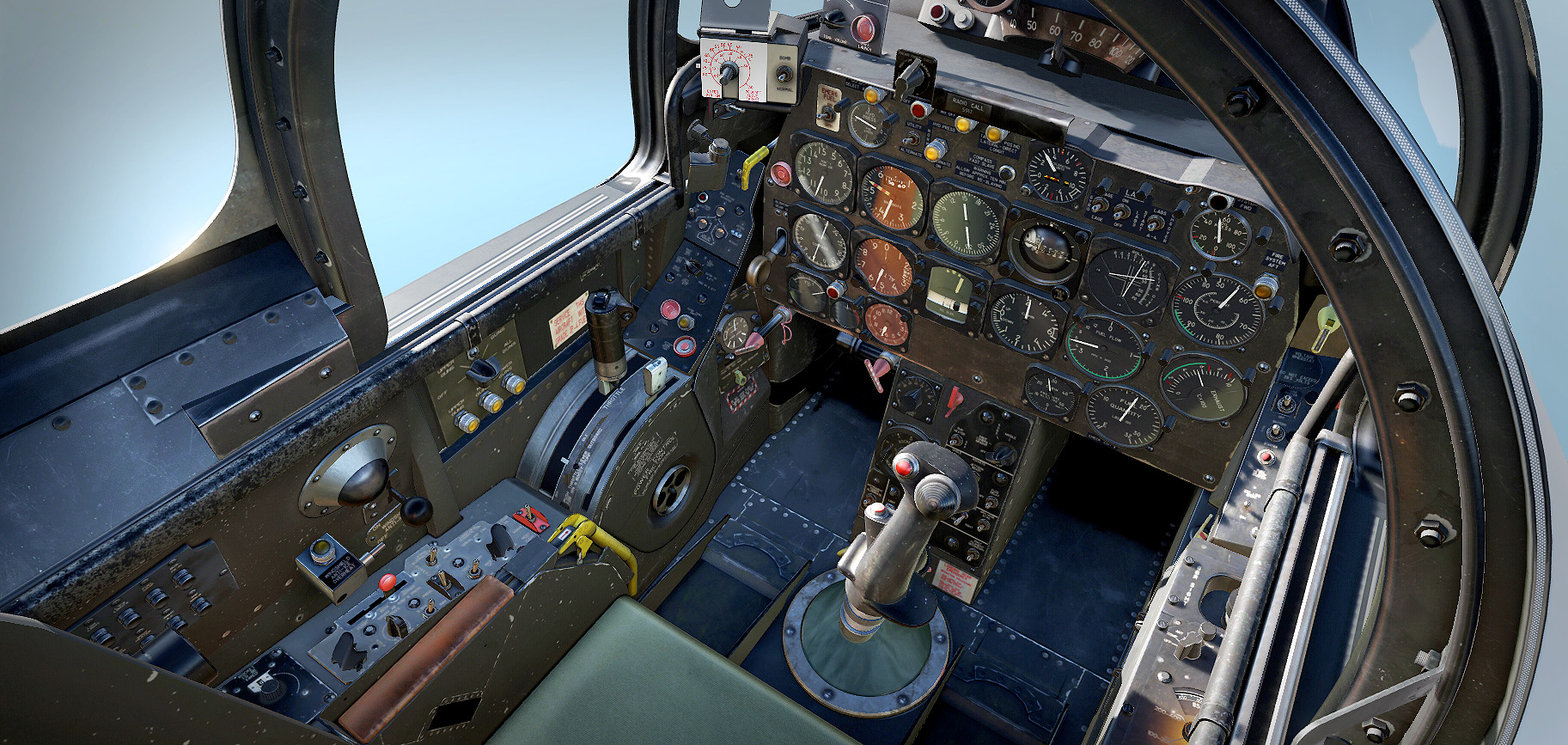
Repaint of the F-86 Cockpit V2
This model, which was very well made in its time, is already quite old, and I believe it deserves a modernization. I have carried out the repaint based on the black cockpit scheme, as I had complete photographic references of this version and, in this way, it also allows the option of flying both variants. All labels and legends have been recreated according to the available real-world information, while keeping in mind the limitations of integrating them into an already existing model.
change log: Dashboard lights updated. Now are working.
Repaint of the F-86 Sabre Jet Cockpit
What has been achieved:
-Application of a black base coat on the cockpit model.
-Addition of metal wear effects, scratches, and layers of dust and dirt to enhance realism.
-Implementation of roughmet layers, allowing for highlights and reflections that vary depending on the material of each surface.
Limitations encountered:
-The original model does not include bump maps in its files, which makes it impossible to simulate surface roughness and fine reliefs through the shader. Despite this, every effort has been made to achieve a convincing result.
-The instrument lights could not be altered, as they are not texture-dependent but rather determined by the way the models were originally exported.
Installation
Extract the file f86_repaint_black.zip.
The package already contains the full folder structure starting from the DCS root directory:
Mods/aircraft/F-86/Cockpit/Textures
The recommended way to install is by using a MOD manager such as JSGME, which allows you to quickly switch between different cockpit versions.
If you prefer to install it manually, MAKE A BACKUP FIRST of the original file, located at:
DCS World\Mods\aircraft\F-86\Cockpit\Textures
Copy the extracted file into the DCS World root directory.
Important: Each time DCS World updates, the original files will be overwritten. If you install directly (without a MOD manager), make sure to keep a copy of this file so you can reinstall it after every update.