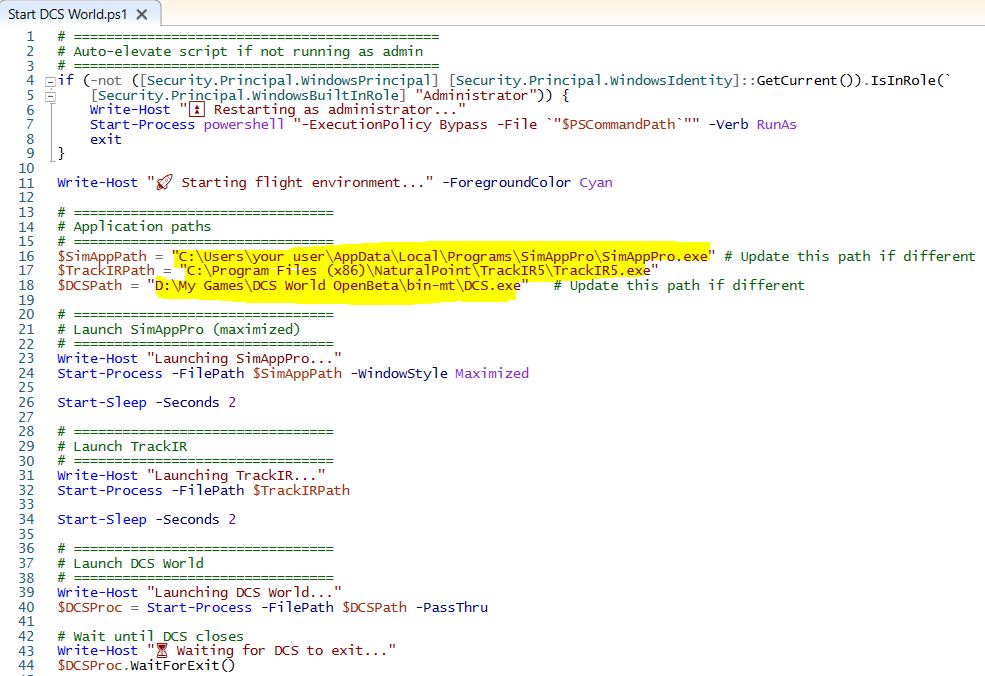
Create your custom DCS World launcher and close associated applications when you close DCS. Modify them as you wish.
This specific one offers files ready for editing, just the paths. If you need to, add other software you might want, such as the Thrustmaster manager, Virpil, etc.
First of all, this file was created with ChatGPT; I've only specified what I need for convenience.
This script doesn't work with the ED launcher; you must run the game without it!
Create a file with a .ps1 extension (PowerShell) and name it whatever you want, for example, 'Start DCS.ps1,' then paste the script content into the file you created. Create a shortcut to the file and right-click on it to go to 'properties.'
From there, change the icon to one you like. I recommend using one other than DCS itself. You'll find the official icons in the ...\DCS World\FUI folder.
To create the shortcut, just paste this code, modifying only the path and name of your file.
C:\Windows\System32\WindowsPowerShell\v1.0\powershell.exe -ExecutionPolicy Bypass -File "X:\My documents\START DCS.ps1"
I'm also leaving you the .ps1 file I created so you can modify it more easily, as well as the icons (they're the ones included in the game).