User Files

Home > User Files
Todos
Todos
Todos
Cámara
Todos
Todos
De
A
Por defecto
(1 – 10 de 47)
DCS World 2.9
Cámara
Limit FOV in Server.lua
Votos de los usuarios: 1
Votar
Usted votó por este archivo
Subido por - ThorBrasil
Fecha - 29.11.2025 18:06:42
Mapa - Any map
How do I change the FOV?
Change the MAX value on line 7 of the Server.lua file.
The line name is local gCameraViewAngleLimits = {20.000000, 90.000000} (MIN,MAX).
FOV 90 is the limit to avoid image distortion and is also the standard in games. I will use this value as a base.
The FOV on the 16:9 monitor was used as a reference because it is the market standard.
Use the FOV listed below for the same standard as your monitor.

16:9 Monitor FOV 90.
21:9 Monitor FOV 107 (The same 90 on the 16:9 monitor).

INSTALLATION:
The files should be placed in the folder C:\Users\YOUR USERNAME\Saved Games\DCS.openbeta\Config\View
If the View folder doesn't exist, just create it.

Attention: Server.lua contains virtually all DCS aircraft. If any aircraft are missing, it's because I don't have them to add.
To view the FOV in DCS, simply press RCTRL+PAUSE BREAK twice.

https://forum.dcs.world/topic/382362-limit-fov-in-serverlua/
  • Licencia: Gratuito - Versión gratuita, distribución libre
  • Idioma: Cualquier idioma
  • Tamaño: 57.57 Kb
  • Descargado: 33
  • Comentarios: 0
Descargar
Detalles
DCS World 2.9
Cámara
Taz's Reduced VR Message Size (Comm Menu Fix)
Votos de los usuarios: 7
Votar
Usted votó por este archivo
Tipo - Utilidad
Subido por - Gate
Fecha - 24.06.2025 18:50:41
Mapa - Any map
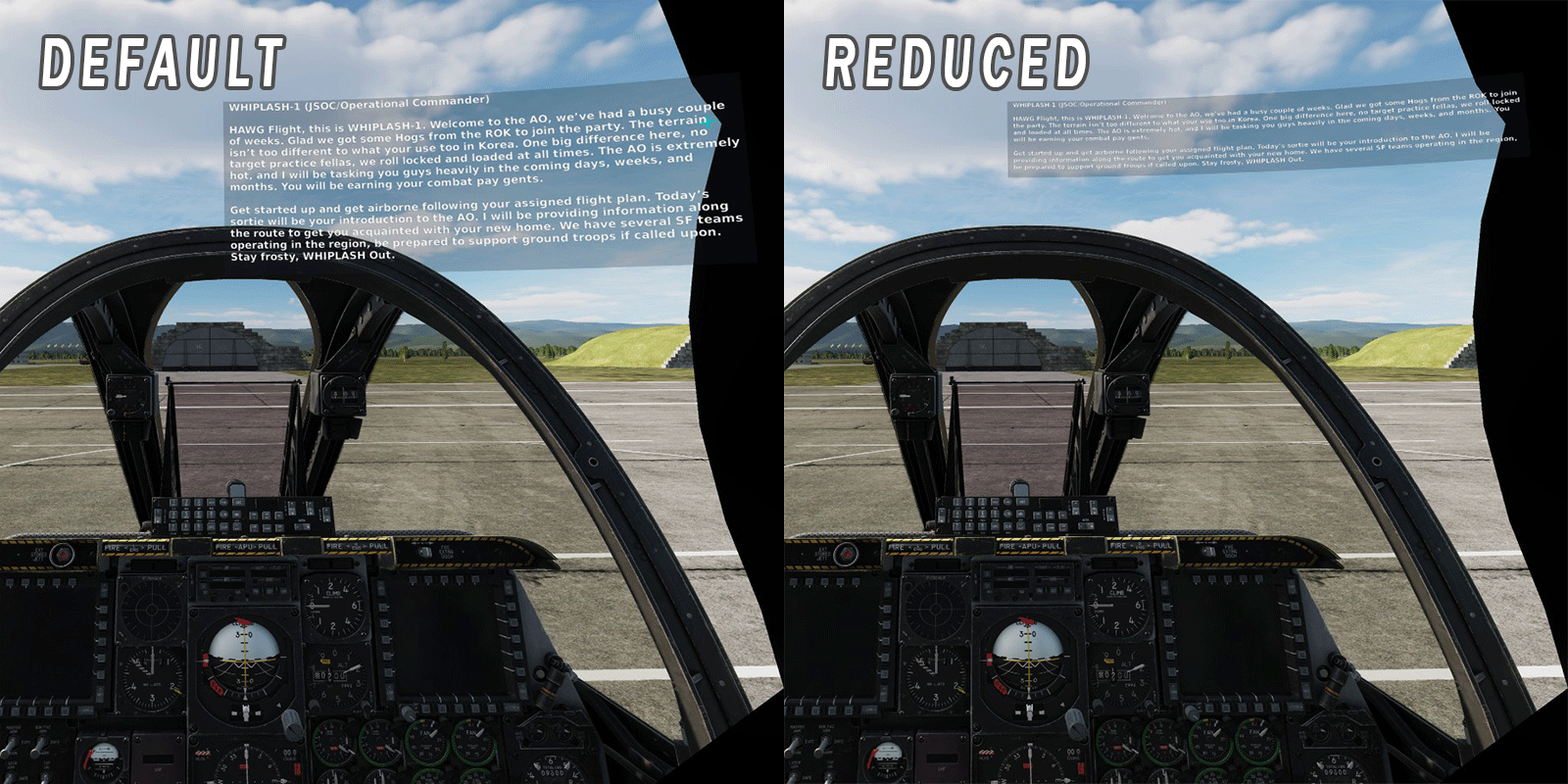
Hello! This is a modification of Taz's incredible VR Message Size Mod (https://www.digitalcombatsimulator.com/en/files/3330338/). I find it completely necessary to play with in VR. Unfortunately, it blocked the use of the scrollable comm menu after an update. Another member posted the fix (https://www.digitalcombatsimulator.com/en/files/3335205/), but some of the font's were not correct in this fix. I have compiled them both into one, mod manager supported, package.

NOTES:
Passes IC
Even with this mod installed, it doesn't change the font size in 2D.  This only affects VR.

INSTALL:
Files go into main DCS install path.  Mod Manager recommended.
  • Licencia: Gratuito - Versión gratuita, distribución libre
  • Idioma: Inglés
  • Tamaño: 7.61 Kb
  • Descargado: 144
  • Comentarios: 0
Descargar
Detalles
DCS World 2.9
Cámara
MissionEditor: Goto Map Town and Village
Votos de los usuarios: 13
Votar
Usted votó por este archivo
Tipo - Mod
Subido por - uboats
Fecha - 09.06.2025 15:10:15
Mapa - Any map
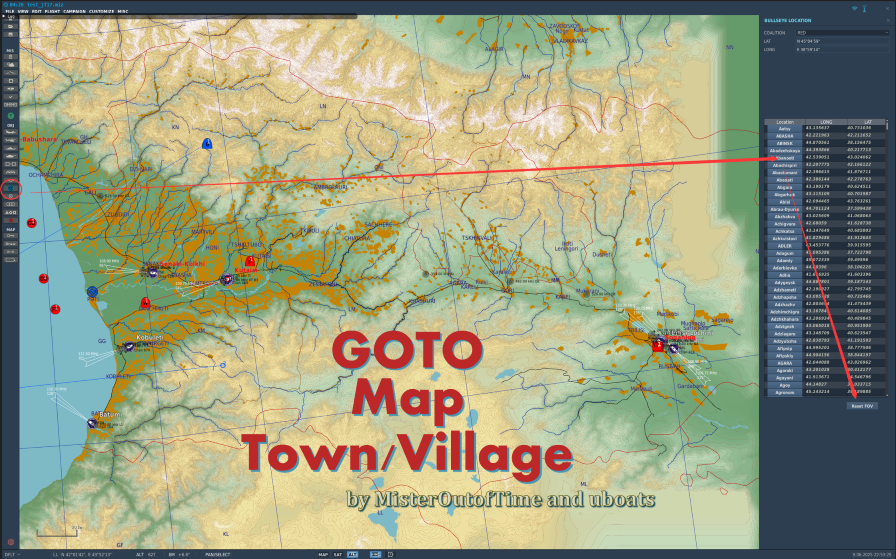
In MissionEditor (ME), there's a town/village list added to bulls eye panel.
It helps mission makers and players quickly jump to the town/village on map without finding them with endless mouse wheel zoom-in/out
  • Licencia: Gratuito - Versión gratuita, no distribuible
  • Idioma: Inglés
  • Tamaño: 14.14 Kb
  • Descargado: 190
  • Comentarios: 3
Descargar
Detalles
Cualquier versión
Cámara
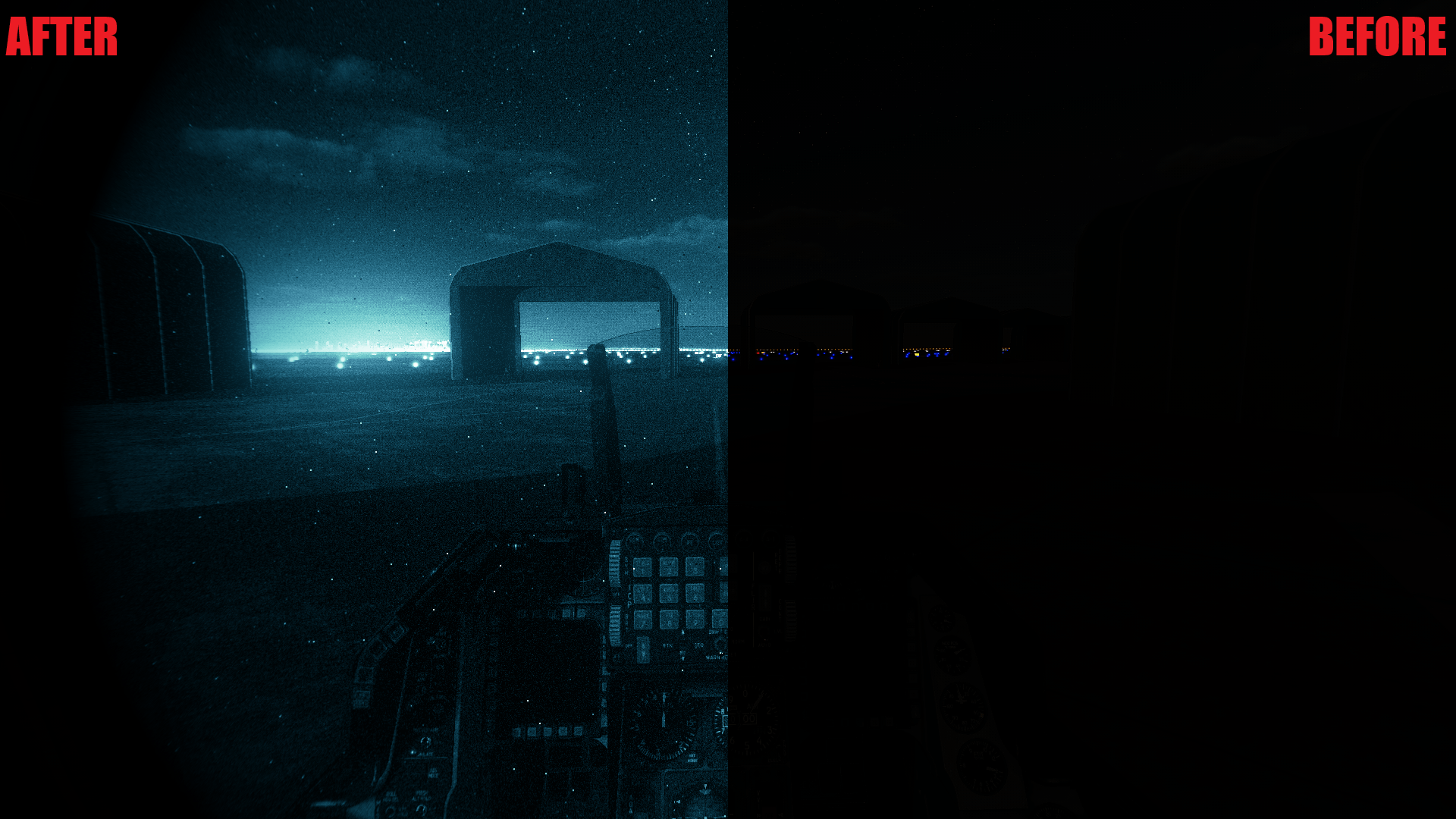
Night Vision through ReShade V1.0
Votos de los usuarios: 12
Votar
Usted votó por este archivo
Tipo - Otro
Subido por - Bajtel01
Fecha - 26.05.2025 15:47:35
Mapa - Any map
Current options:
•Green phosphor
•White phosphor
•Both available in single, dual, and quad tube configurations
  • Licencia: Gratuito - Versión gratuita, distribución libre
  • Idioma: Inglés
  • Tamaño: 12.19 Mb
  • Descargado: 462
  • Comentarios: 34
Descargar
Detalles
Cualquier versión
Cámara
OOB Germany
Votos de los usuarios: 16
Votar
Usted votó por este archivo
Subido por - Schneefl0cke
Fecha - 19.04.2025 12:33:11
Hi!
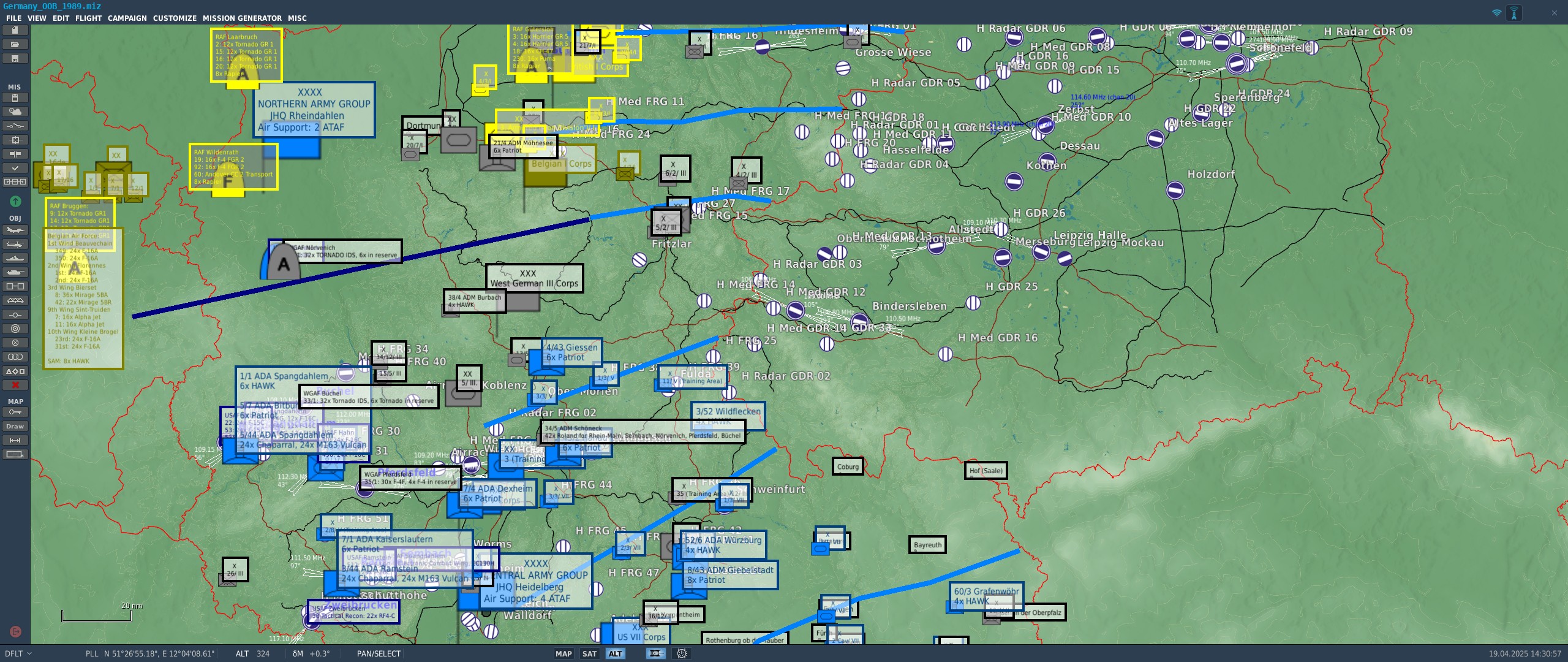
This is the piece-time deployment of ground and air forces in 1989. I started with the blue side and will update as soon as the red side is finished.

The mission is only to look at, nothing has been deployed. Its to help mission designers that want to create historical missions and for the interested to visualize where which unit was. And how many... its a lot.

Germany cant be selected as map yet.

  • Licencia: Gratuito - Versión gratuita, distribución libre
  • Idioma: Cualquier idioma
  • Tamaño: 45.77 Kb
  • Descargado: 255
  • Comentarios: 5
Tags: OOB
Descargar
Detalles
DCS World 2.9
Cámara
Votos de los usuarios: 1
Votar
Usted votó por este archivo
Tipo - Mod
Subido por - dallatorre
Fecha - 07.02.2025 13:34:02
Makes it so the VR hangar contains an F-14 Tomcat
  • Licencia: Gratuito - Versión gratuita, distribución libre
  • Idioma: Cualquier idioma
  • Tamaño: 1.82 Kb
  • Descargado: 144
  • Comentarios: 0
Descargar
Detalles
DCS: World
Cámara
No MFCD's in Hud Only View
Votos de los usuarios: 0
Votar
Usted votó por este archivo
Tipo - Otro
Subido por - Archangel44
Fecha - 07.12.2024 15:11:08
Mapa - Any map
No MFCD's in Hud Only View
  • Licencia: Gratuito - Versión gratuita, distribución libre
  • Idioma: Inglés
  • Tamaño: 1.59 Kb
  • Descargado: 127
  • Comentarios: 0
Descargar
Detalles
DCS World 2.9
Cámara
Tuuvas' Official Server.lua and SnapViews.lua for Top Gun: Maverick Style Camera Angles
Votos de los usuarios: 0
Votar
Usted votó por este archivo
Tipo - Utilidad
Subido por - Tuuvas
Fecha - 05.10.2024 04:50:44
Mapa - Any map
See this video for more info: https://youtu.be/QtVfjw1OEnM

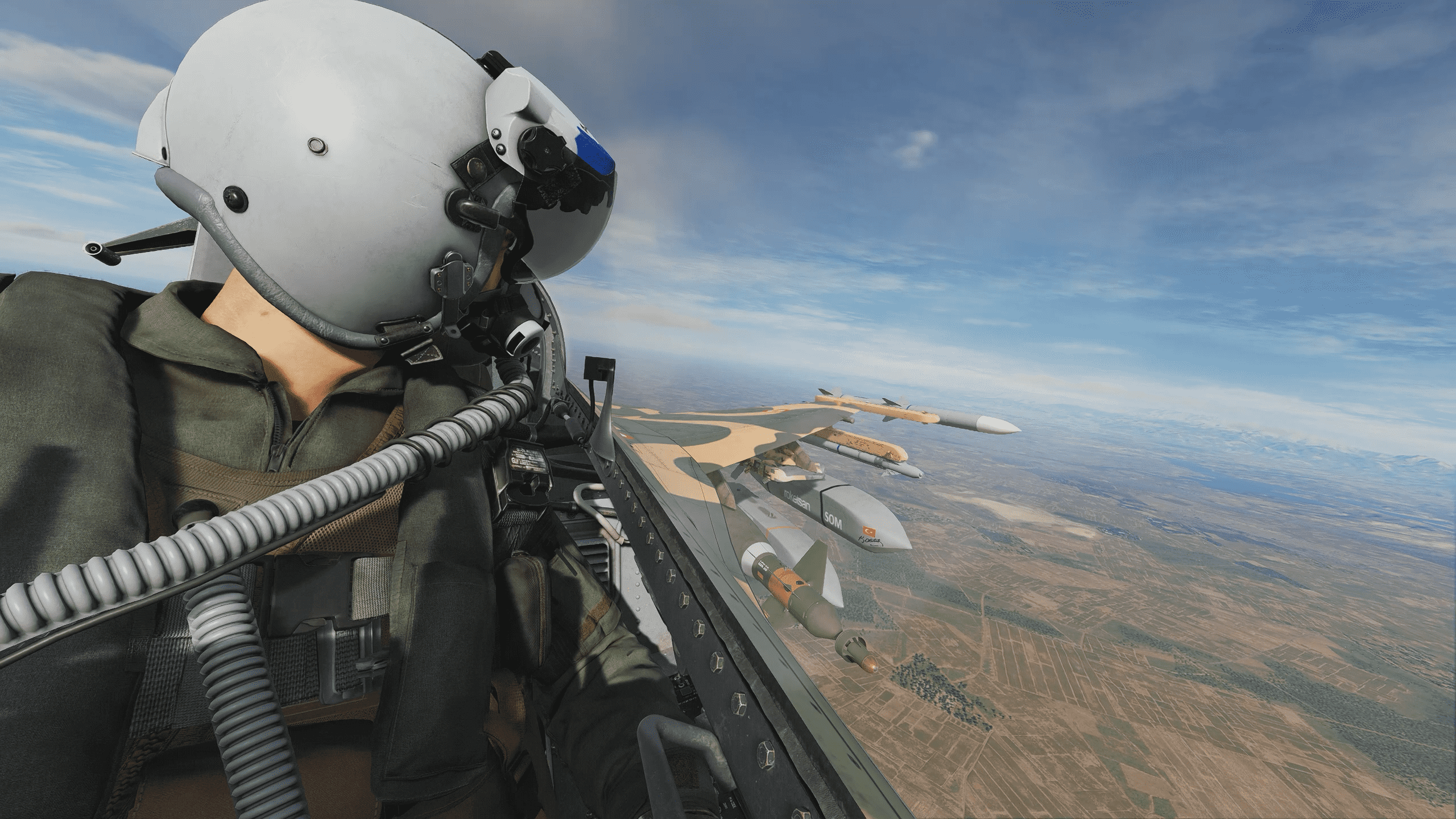
These are the Server.lua and SnapViews.lua files Tuuvas uses for his Top Gun: Maverick style camera angles for the following modules:
• F/A-18C Hornet
• F-16C Viper
• AH-64D Apache
• Mi-24p Hind
• F-5E-3 Tiger II Remastered
• F-4E Phantom (note: "Selfie Mode" does NOT replay previous head movements)

Extract and put this Config folder in "C:\Users\<your Username>\Saved Games\DCS\"

Then press RCtrl + Numpad0 followed by any Num1 through Num9 button to use each Snap View for cinematic camera angles.
  • Licencia: Gratuito - Versión gratuita, distribución libre
  • Idioma: Inglés
  • Tamaño: 23.78 Kb
  • Descargado: 753
  • Comentarios: 3
Descargar
Detalles
DCS World 2.9
Cámara
Votos de los usuarios: 0
Votar
Usted votó por este archivo
Tipo - Otro
Subido por - Tomcatz
Fecha - 15.05.2024 14:34:50
Realistic color filters for DCS
  • Licencia: Gratuito - Versión gratuita, distribución libre
  • Idioma: Otro
  • Tamaño: 17.85 Kb
  • Descargado: 523
  • Comentarios: 6
Descargar
Detalles
Cualquier versión
Cámara
Votos de los usuarios: 0
Votar
Usted votó por este archivo
Tipo - Utilidad
Subido por - csbeau1969
Fecha - 10.03.2024 05:23:54
AutoHotKey file which has the following function:
* Keeps DCS as the active window
* Adjustable altitude and sensitivity for swapping graphics setting (options.lua)
* Default is 5000 feet, and 4 consecutive readings above or below this altitude to change graphics options
* A few other keystrokes included to help manage options in VR, intended for use with VoiceAttack
  • Licencia: Gratuito - Versión gratuita, distribución libre
  • Idioma: Inglés
  • Tamaño: 10.95 Kb
  • Descargado: 53
  • Comentarios: 6
Descargar
Detalles
SIGUENOS