用户文件

主页 > 用户文件
All
All
All
All
All
All
From
To
Default
(1 – 4 之 4)
DCS: World
Su-25T
Tiogar
用户投票: 0
投票
您对此文件进行了投票
类型 - Device Profiles
Uploaded by - Tiogar
日期 - 2013-04-10 16:07:02
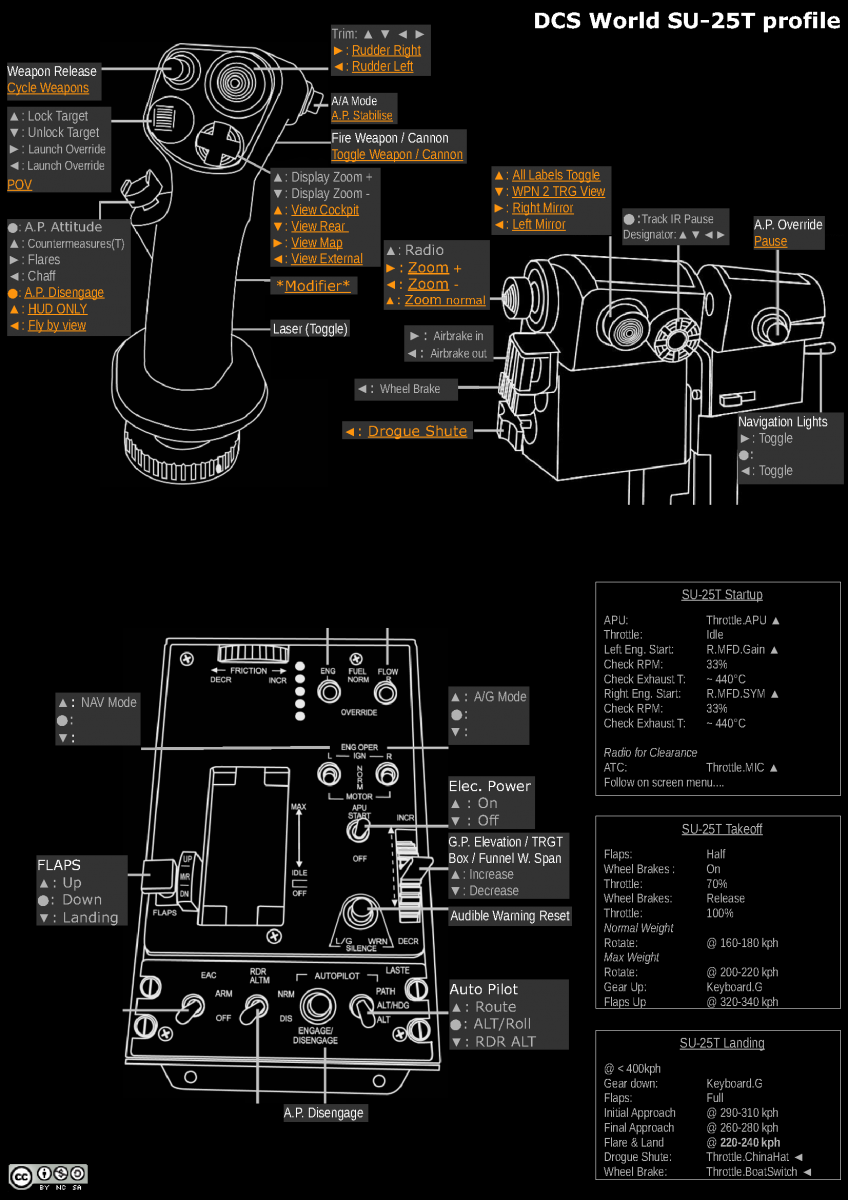
Thrustmaster Warthog Profile for SU-25T utilising commands for the MFD's and HOTAS controls. For installation instruction see attached readme file.
  • 许可: 免费 - 免费版, 无分发限制
  • 语言: 英文
  • 大小: 1.35 Mb
  • 下载数: 2315
  • 评论: 2
下载
详细
DCS: World
P-51D
Tiogar
用户投票: 0
投票
您对此文件进行了投票
类型 - Device Profiles
Uploaded by - Tiogar
日期 - 2013-04-10 16:01:01
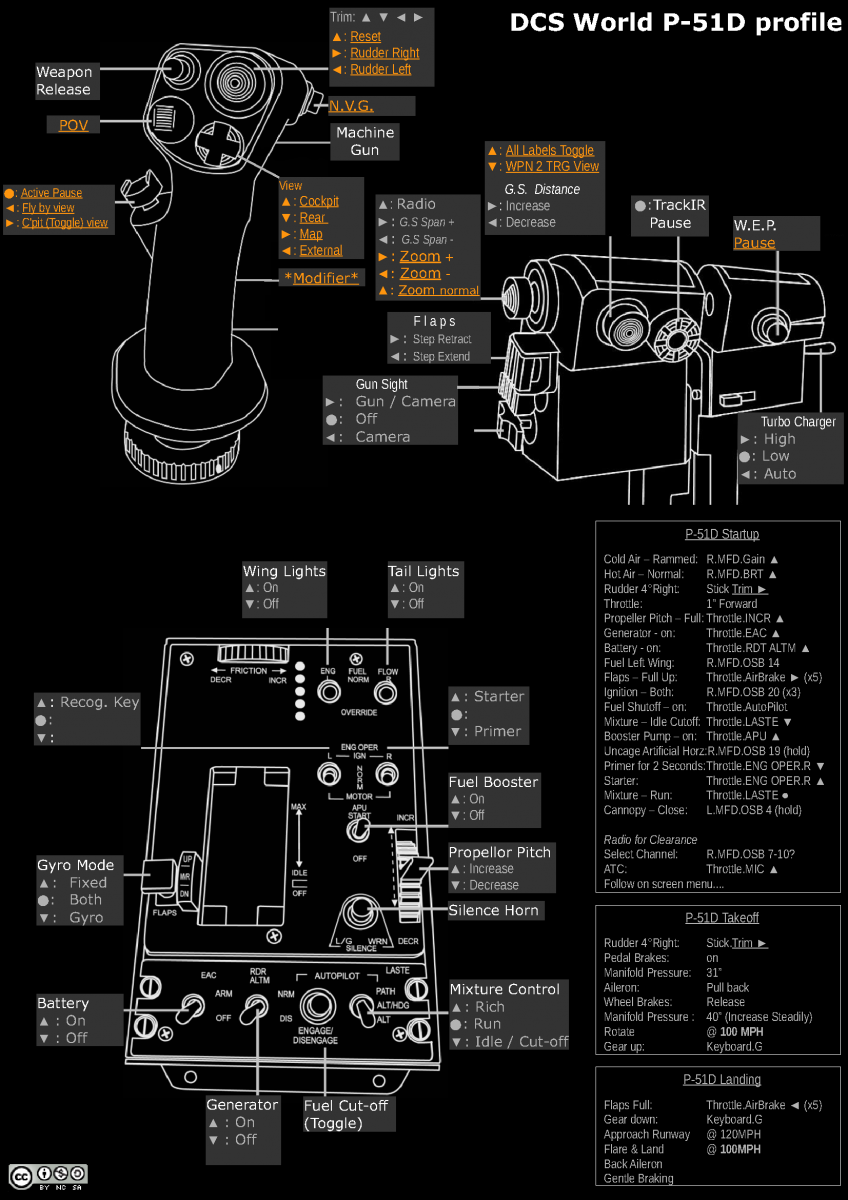
Thrustmaster Warthog Profile for P-51D utilising extra commands for the MFD's and HOTAS controls. For installation instruction see attached readme file.
  • 许可: 免费 - 免费版, 无分发限制
  • 语言: 英文
  • 大小: 1.4 Mb
  • 下载数: 1973
  • 评论: 0
下载
详细
DCS: World
A-10C
Tiogar
用户投票: 0
投票
您对此文件进行了投票
类型 - Device Profiles
Uploaded by - Tiogar
日期 - 2013-04-10 15:56:21
Thrustmaster Warthog Profile for A-10C utilising extra commands for the MFD's and HOTAS controls when the Joystick Pinky (Paddle) is used as a modifier. For installation instruction see attached readme file.
  • 许可: 免费 - 免费版, 无分发限制
  • 语言: 英文
  • 大小: 186 Kb
  • 下载数: 1833
  • 评论: 0
下载
详细
A-10C
用户投票: 0
投票
您对此文件进行了投票
类型 - Device Profiles
Uploaded by - Tiogar
日期 - 2011-11-07 17:58:20
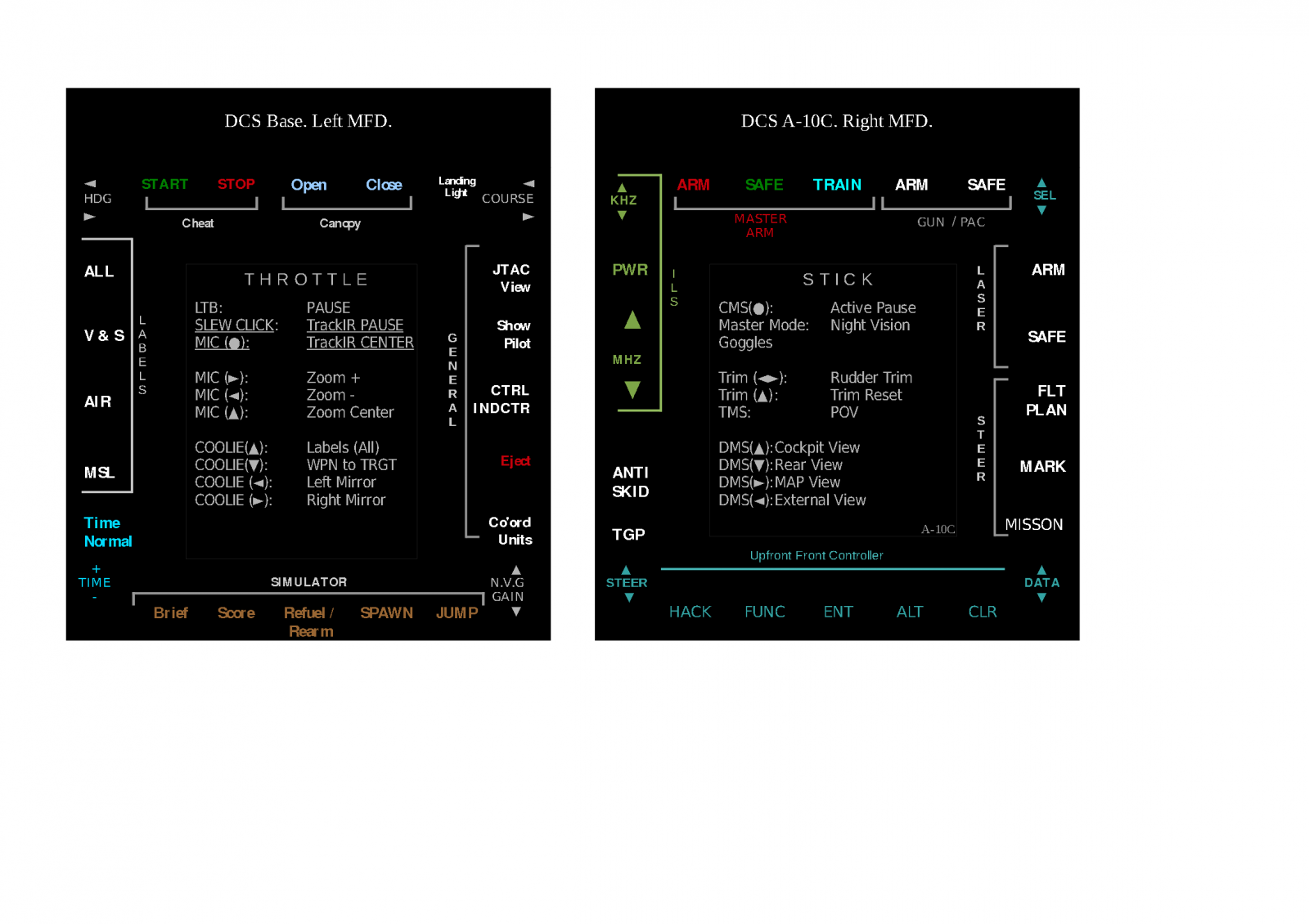
Profile [V2] for Thrustmaster Warthog & MFD's. Extra commands are available via the MFD's when the joystick paddle/pinky switch is used.

Note 1: The keyboard num pad is mapped to the UFC num pad.

Note 2: Some Commands are displayed in center of each MFD display for both the Throttle and Joystick. Underlined commands do not need the joystick paddle/pinky modifier.

Note 3: I Mapped my Throttle slew click button to Track IR pause and my Throttle Mic press button to Track IR center. This is done in the Track IR application
  • 许可: 免费 - 免费版, 无分发限制
  • 语言: 英文
  • 大小: 424.33 Kb
  • 下载数: 5003
  • 评论: 6
标签: Thrustmaster, MFD
下载
详细
关注我们