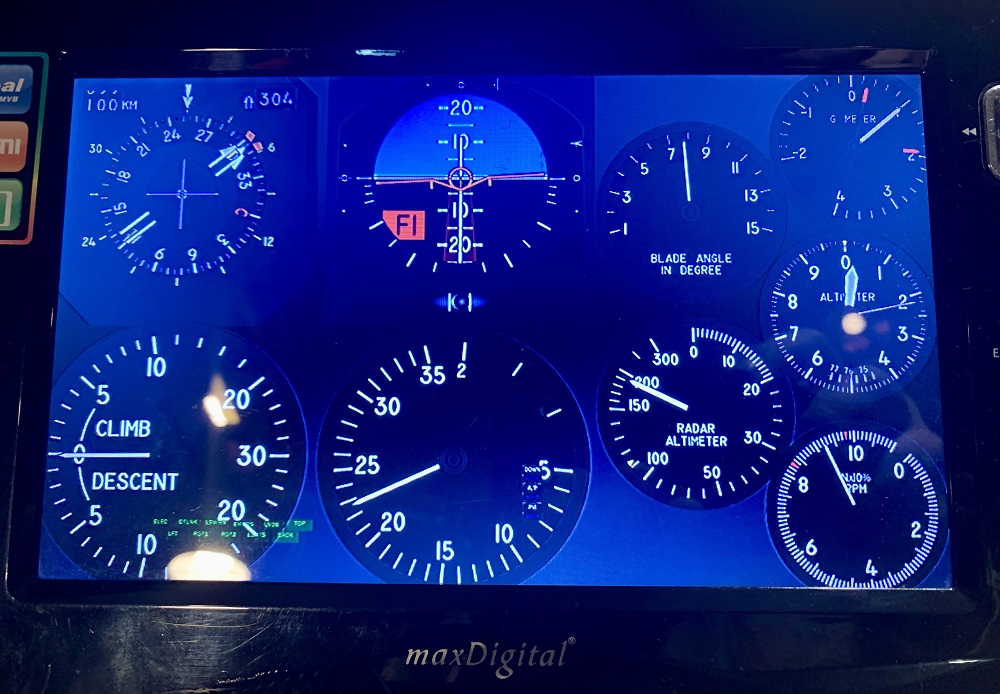
If you are like me a novice helicopter pilot and have a small old HDMI display you actually have no use for anymore consider using HELIOS and make your favourite analog or digital instruments from the cockpit appear on your little old HDMI 720p screen below your main flight window.
Step 1 -- Install HELIOS from either
here https://www.digitalcombatsimulator.com/en/files/3302014/
OR here http://www.captzeen.com/helios/index.asp
Step 2 -- Drop the hpf file into your windows ~/Documents/Helios/Profiles directory
Step 3 -- Open it in the Helios Profile Editor if you need to make changes.
Step 4 -- Save it and start Helios Control and run the profile, it should appear on your third monitor at least. When you start DCS it will show up all the beautiful fancy graphics and update at the same time as your DCS cockpit does.
ENJOY.
Leave a like and comment!