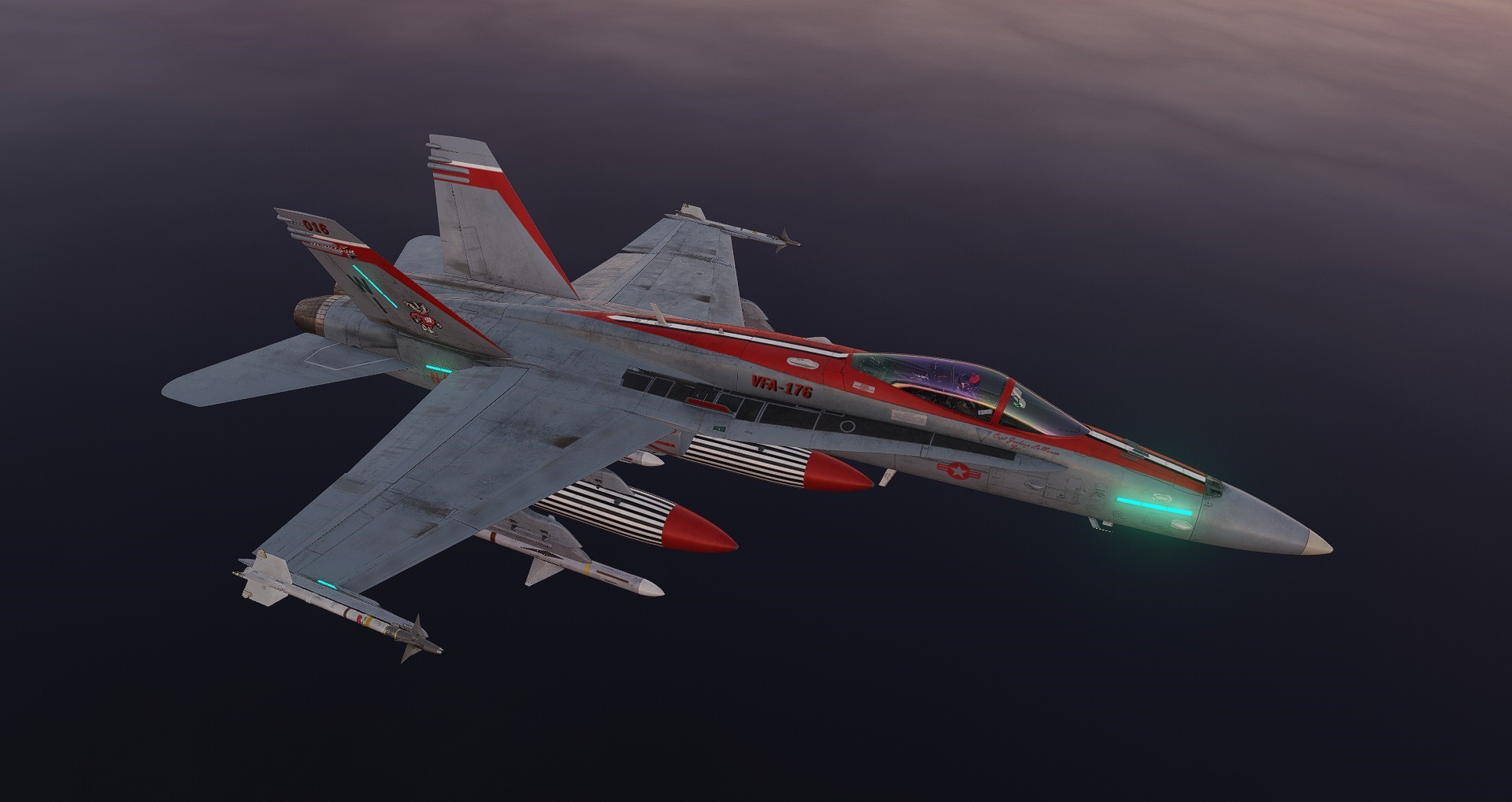
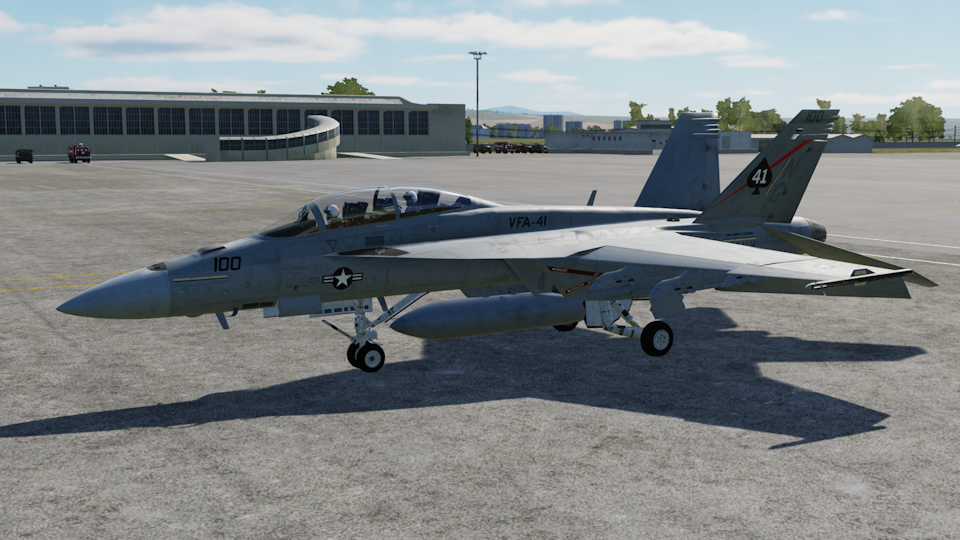
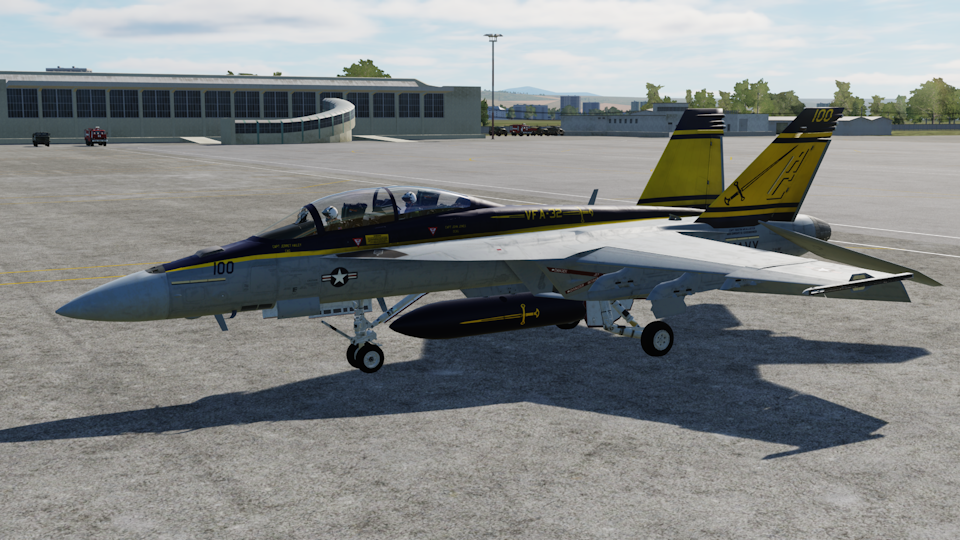
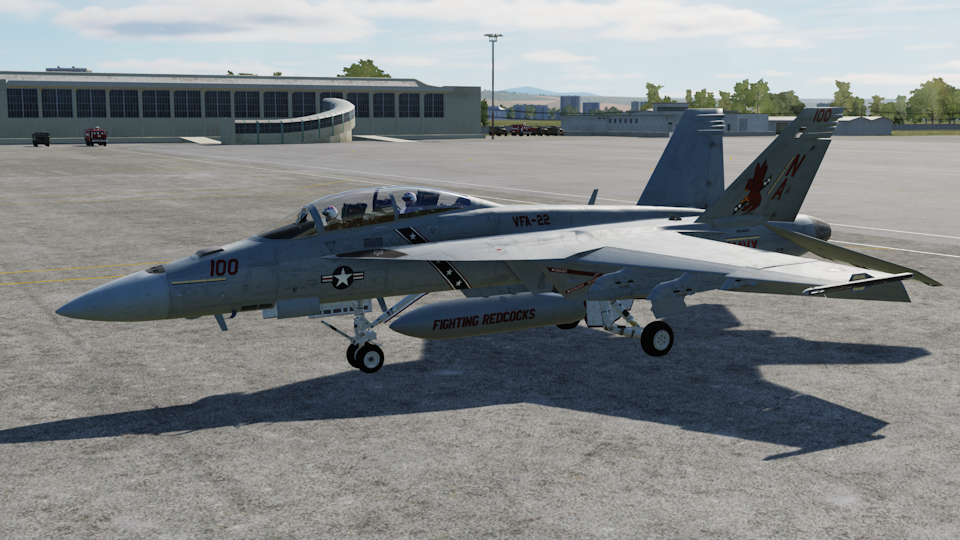
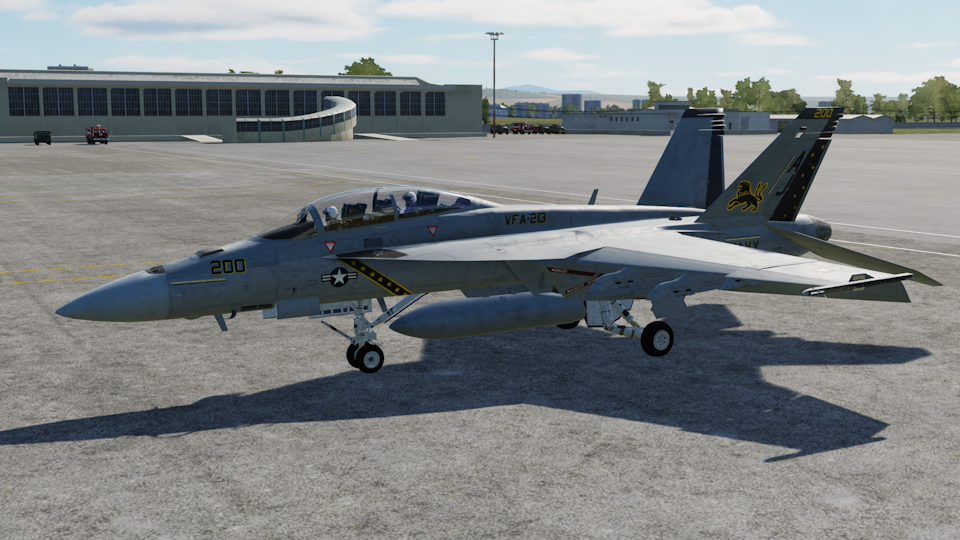
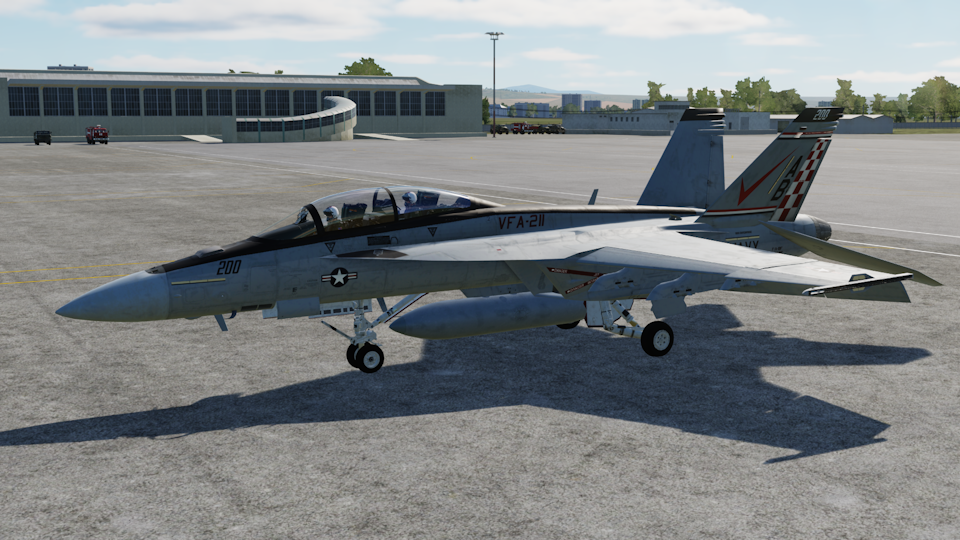
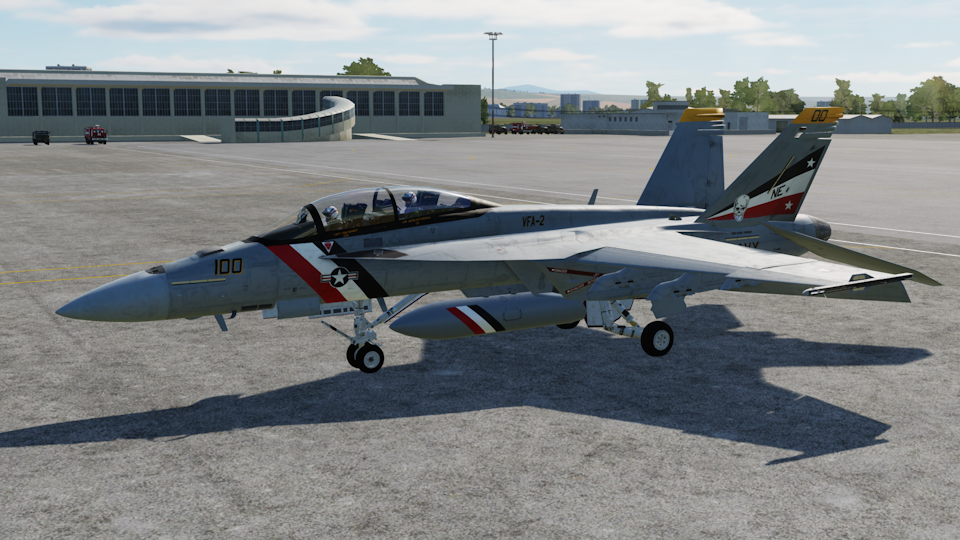
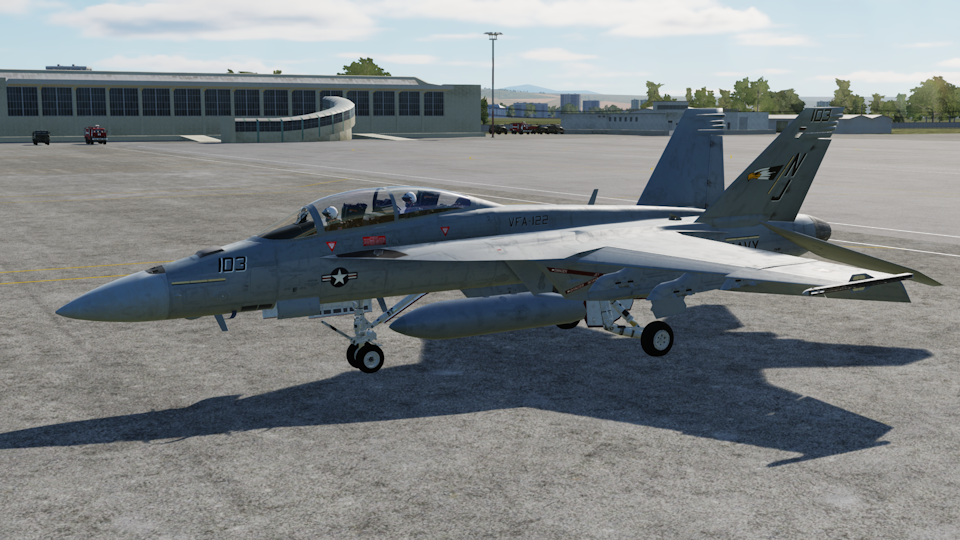
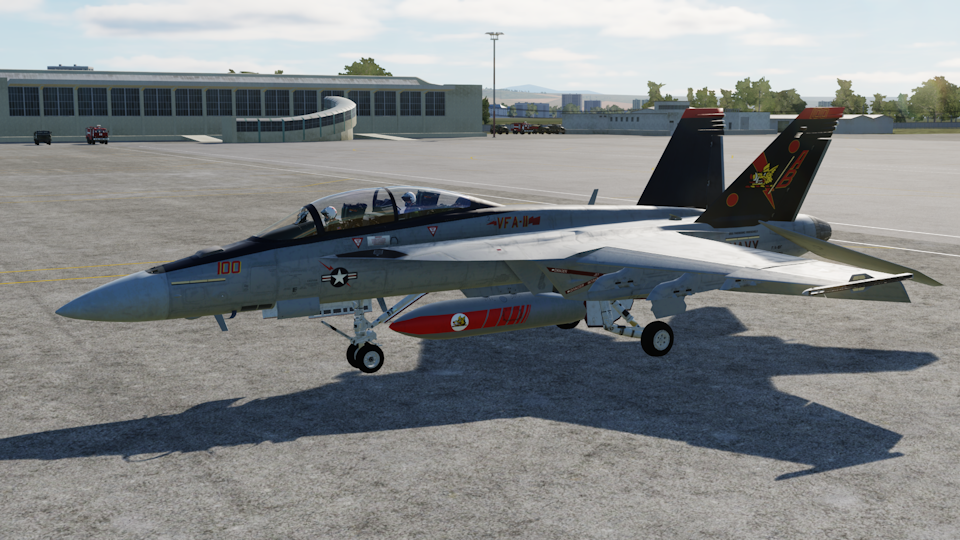
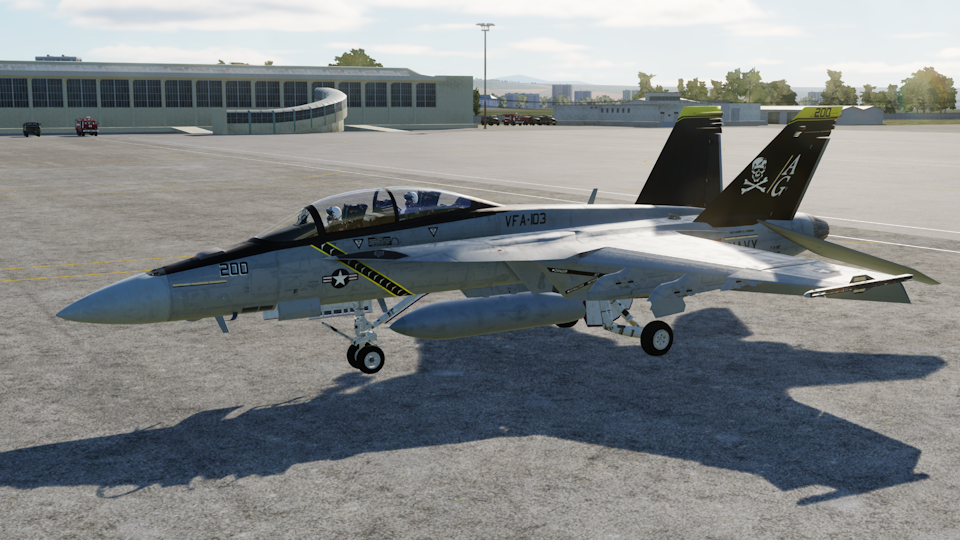
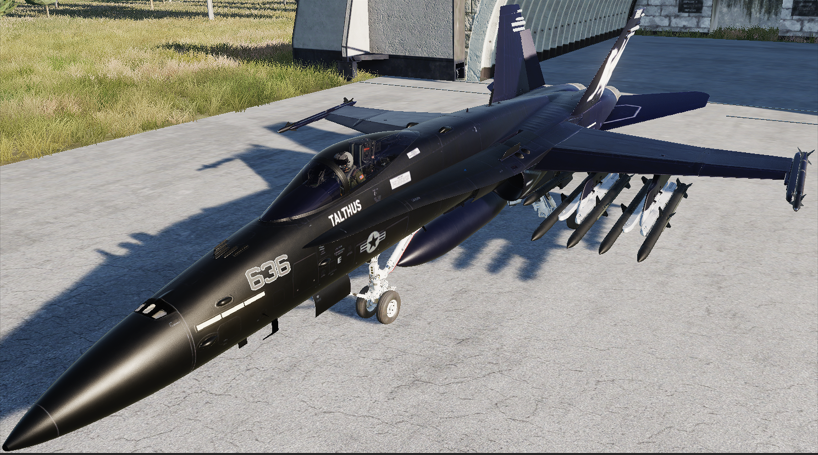
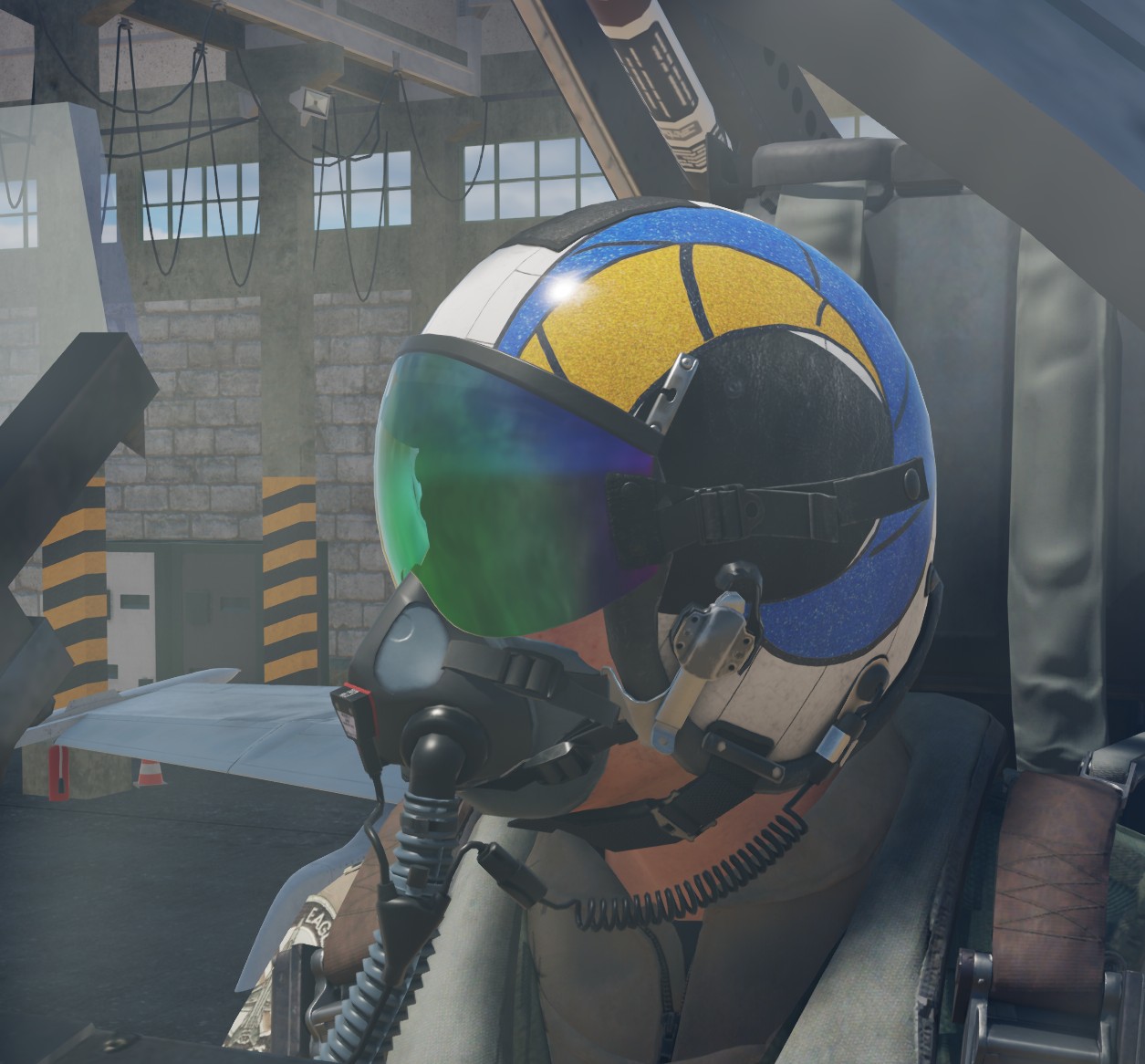
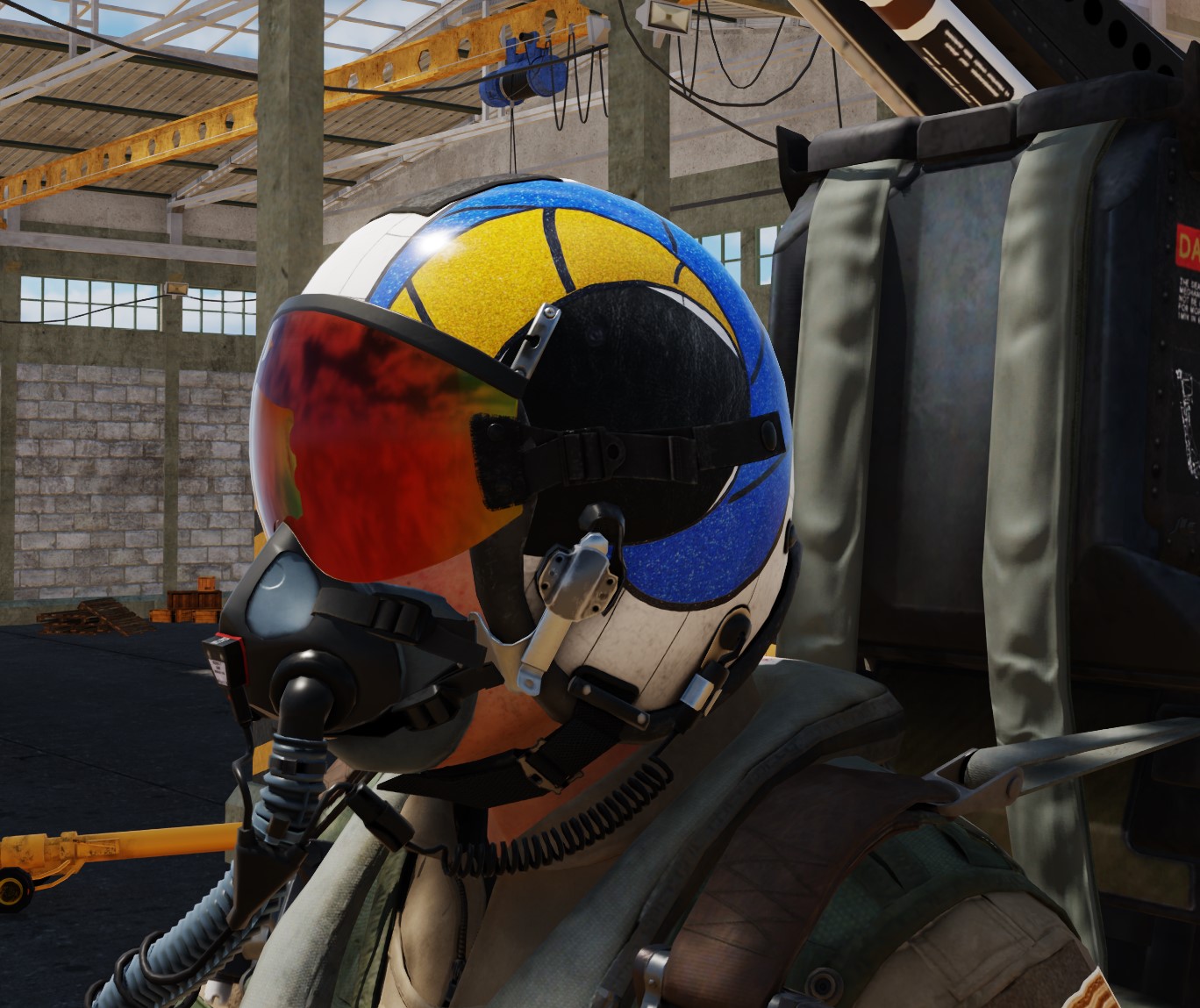
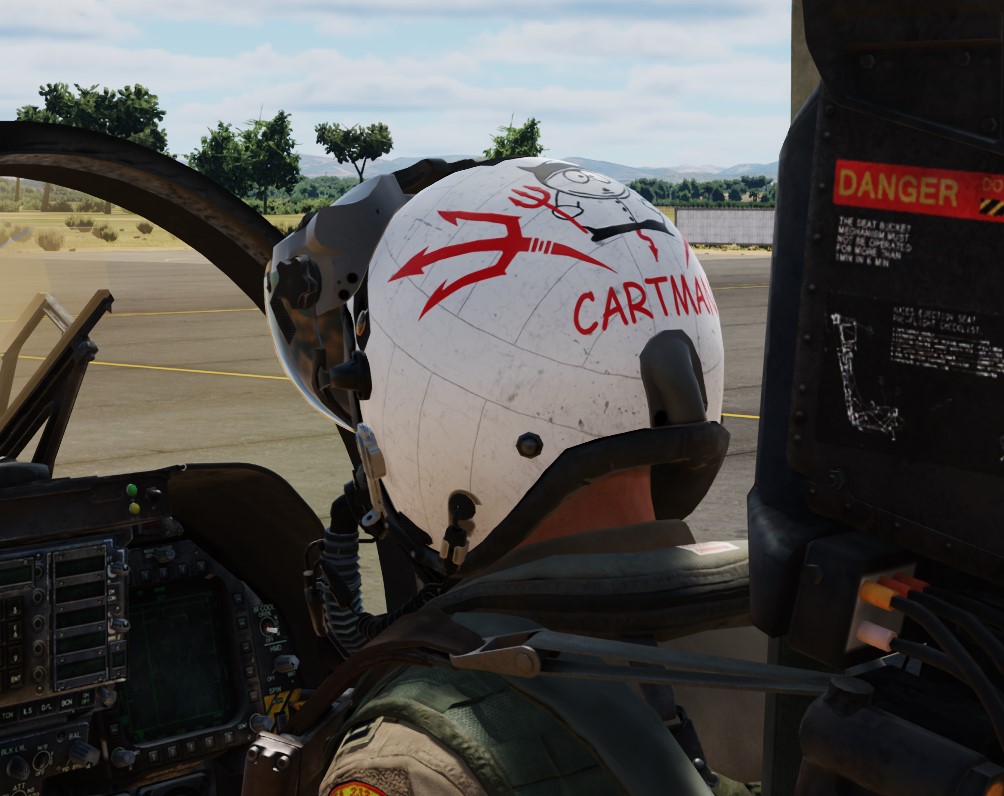
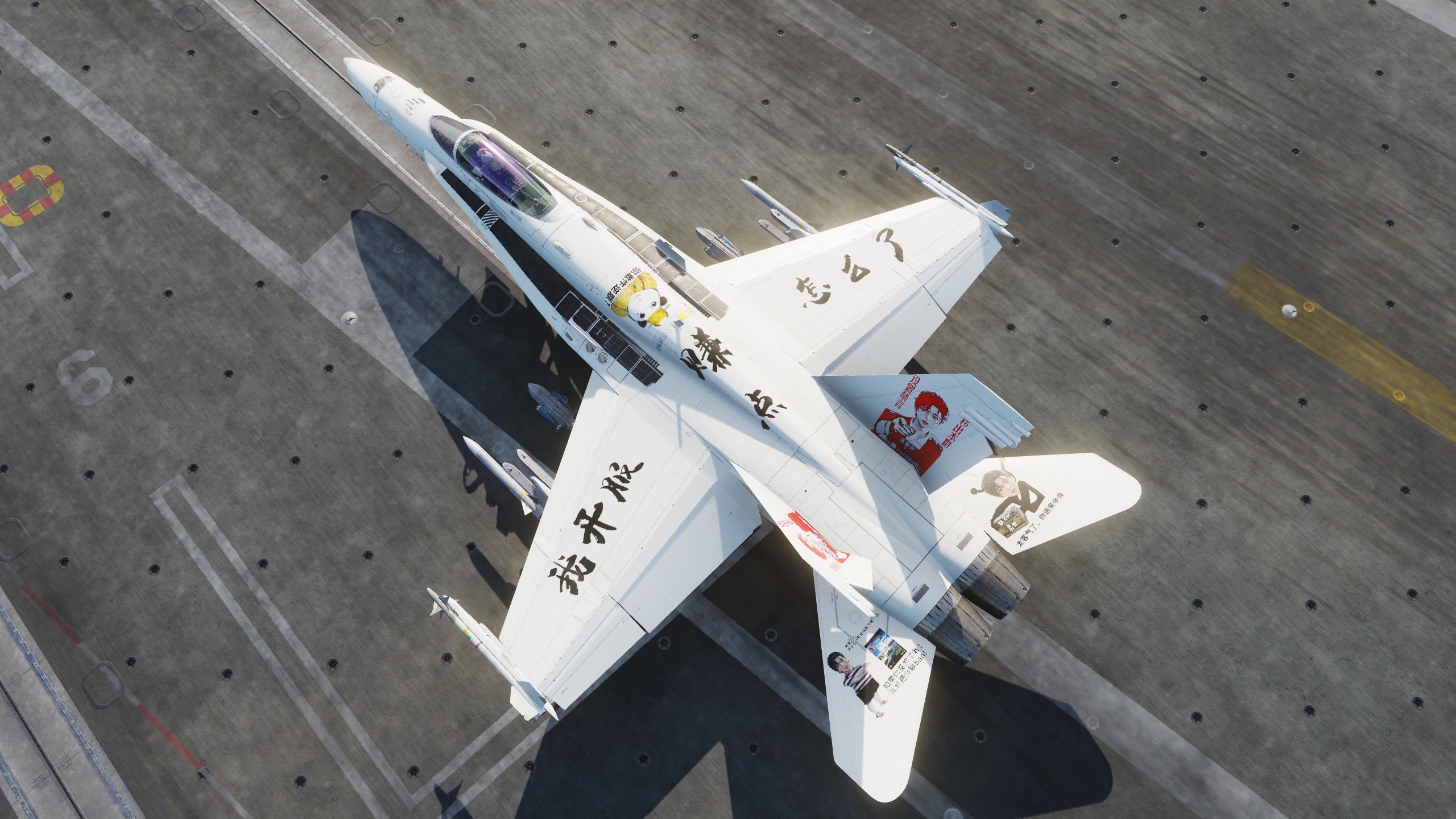
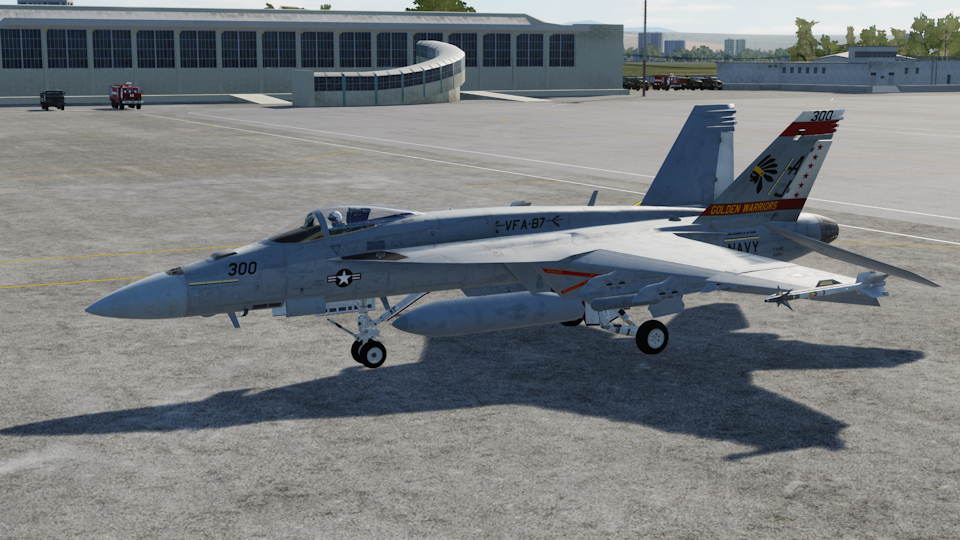
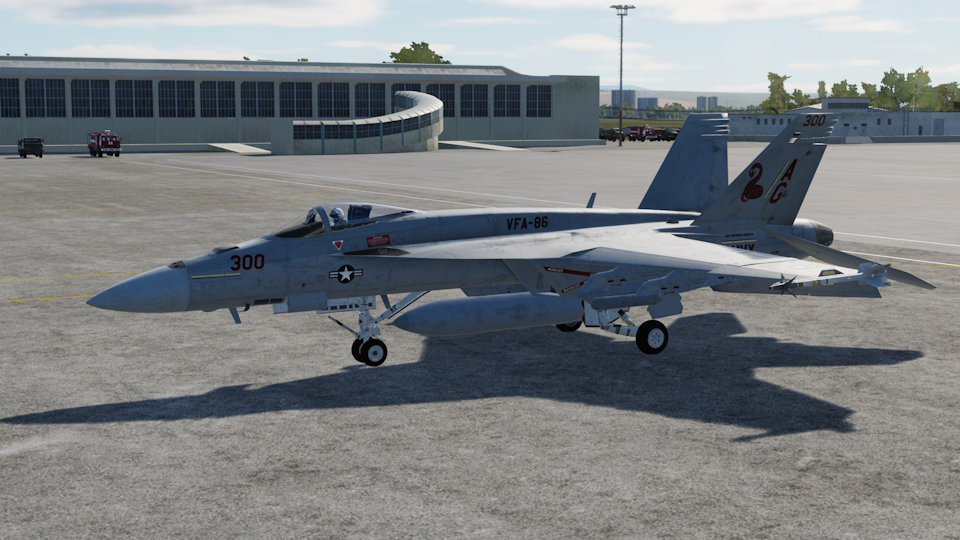
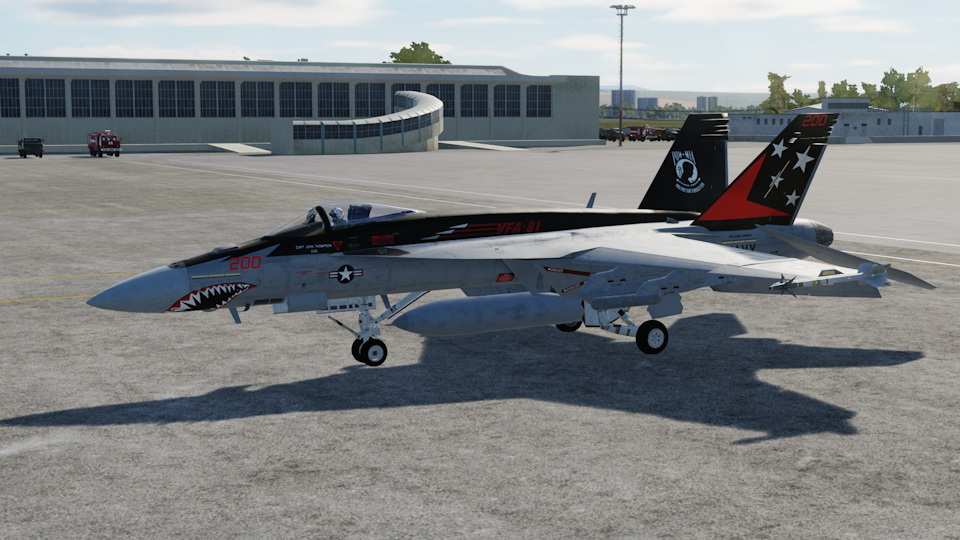
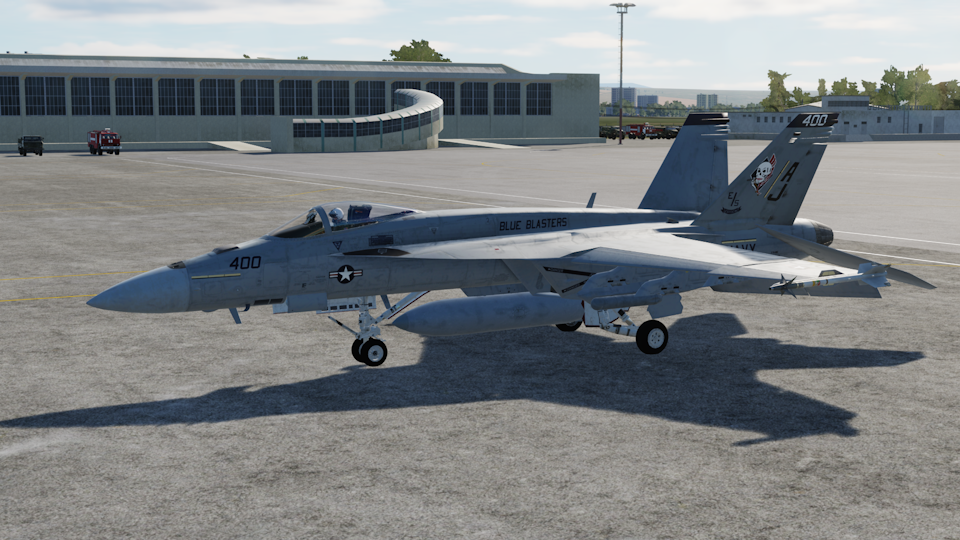
Based off of the 176th FS this livery essentially translates and extrapolates that to the F/A-18C. There's the high vis day livery and a more low profile blacked out night version. Features a custom helmet too! I hope you enjoy.
License: Freeware - Free version, Do Not Redistribute
Hi everyone,
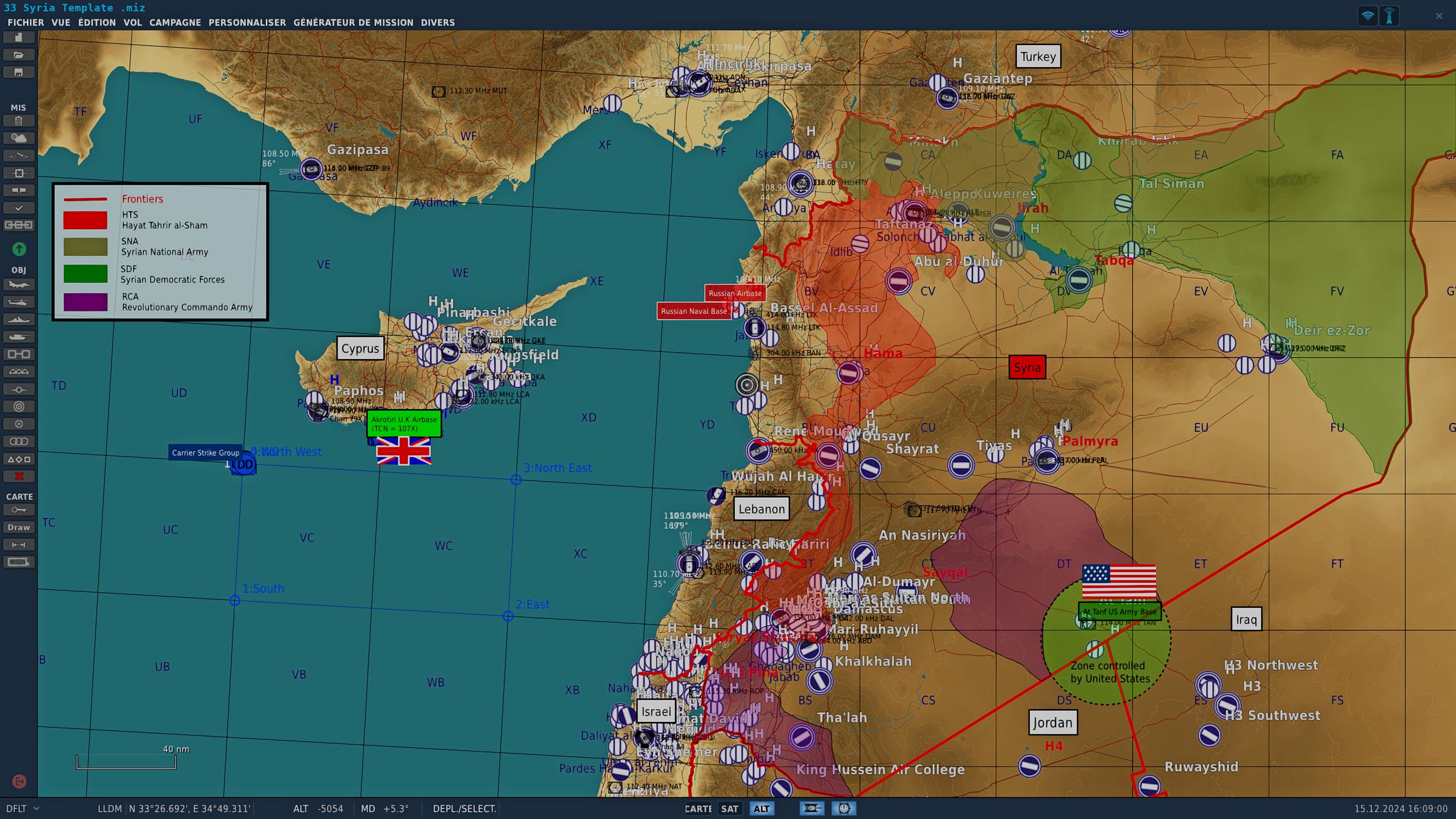
For those who do not want to spend hours making a map, I made this map that shows Syria after the fall of Bashar al-Assad.
This is the situation at the 11 December 2024.
I hope it will be useful.
Many thanks
FLY SAFE
License: Freeware - Free version, Unlimited distribution
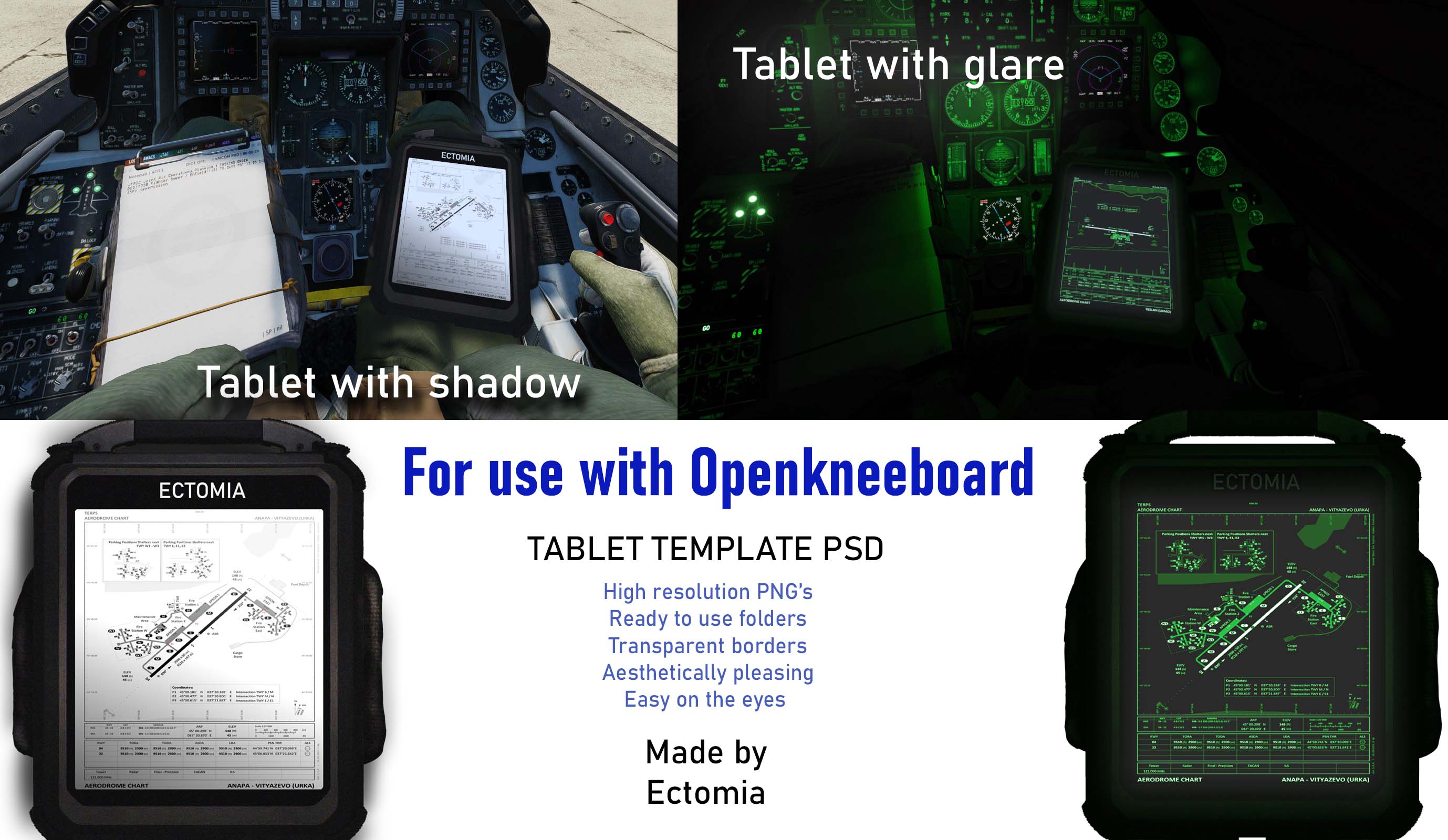
Due to popular demand on social media interest here are the templates for the kneeboards.
Basic Template for making your own custom kneeboards to look like a tablet in Photoshop or any app that can adjust .PSD files like Krita, or GIMP (Both are free)
All layers have Instructions as to where to place your images
Best settings for export are to save as a .PNG file to allow the transparency to work. Disable and adjust as desired
Use in conjunction with Open Kneeboard app and customize with your call signs
See screenshot of layers needed to make it look like it does in the preview
***Edit 18/12/24 readjusted the glare layer to rasterized as apparently was causing issues with compatibility with other software types ***
*** 18/12/24 Added GIMP and KRITA formats to zipped folder, recommended for those who want to use free software and do not have access to Photoshop***
I have added a pdf help guide to get it to work inside the zipped folder
License: Freeware - Free version, Unlimited distribution
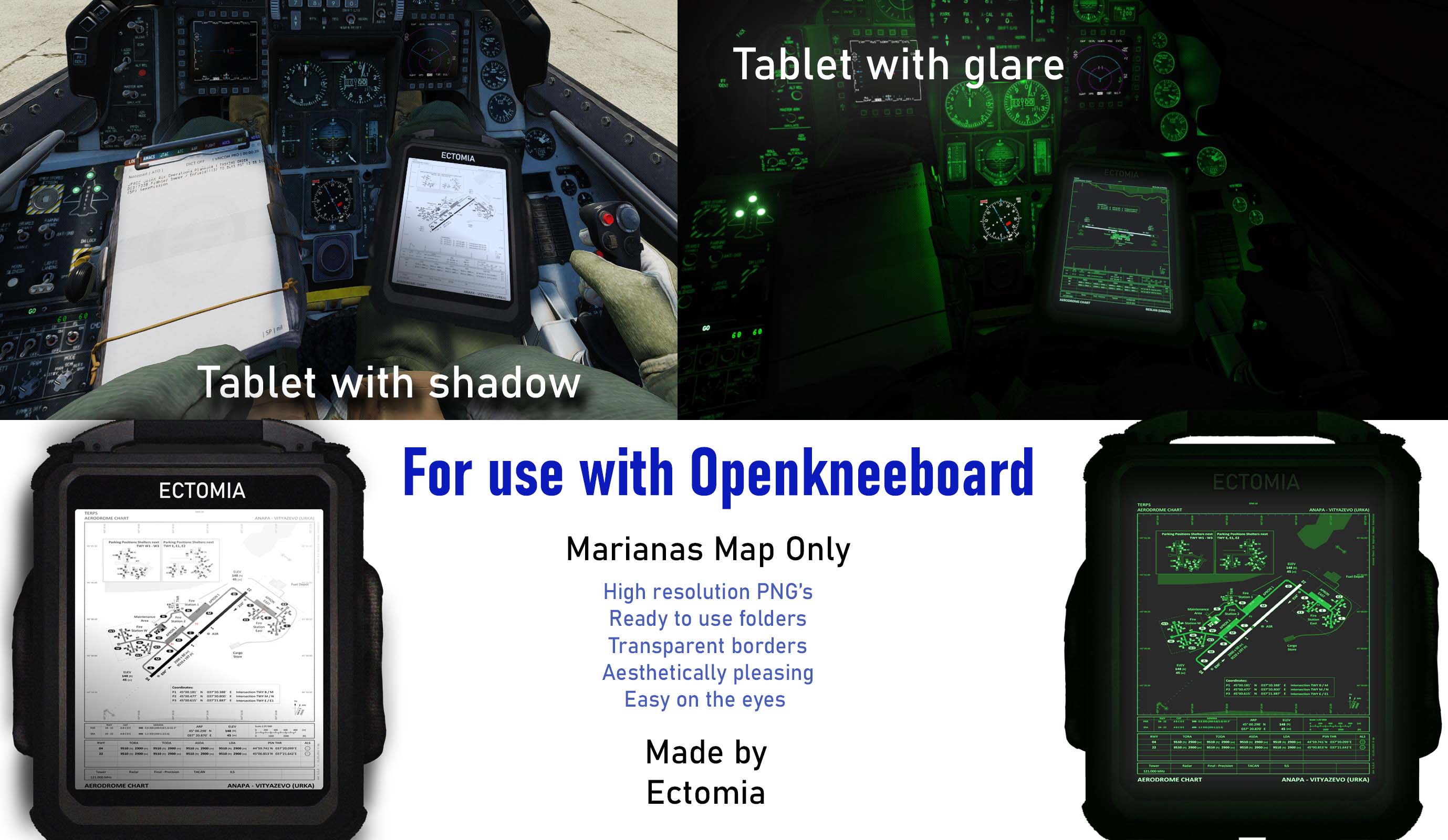
Open Kneeboard Tablet Style Airfield Data for Marianas Map
I was getting sore eyes from night missions looking at bright white kneeboards This blends in with the cockpit and easier on the eyes. Transparent borders makes it look better
***File sizes are large because of the clarity of the data on the screen***
Extract folders and add within Open Kneeboard Shadow Casting from day version Screen Glare on night version
Works well in VR
Use in conjunction with OpenKneeboard
https://openkneeboard.com
License: Freeware - Free version, Unlimited distribution
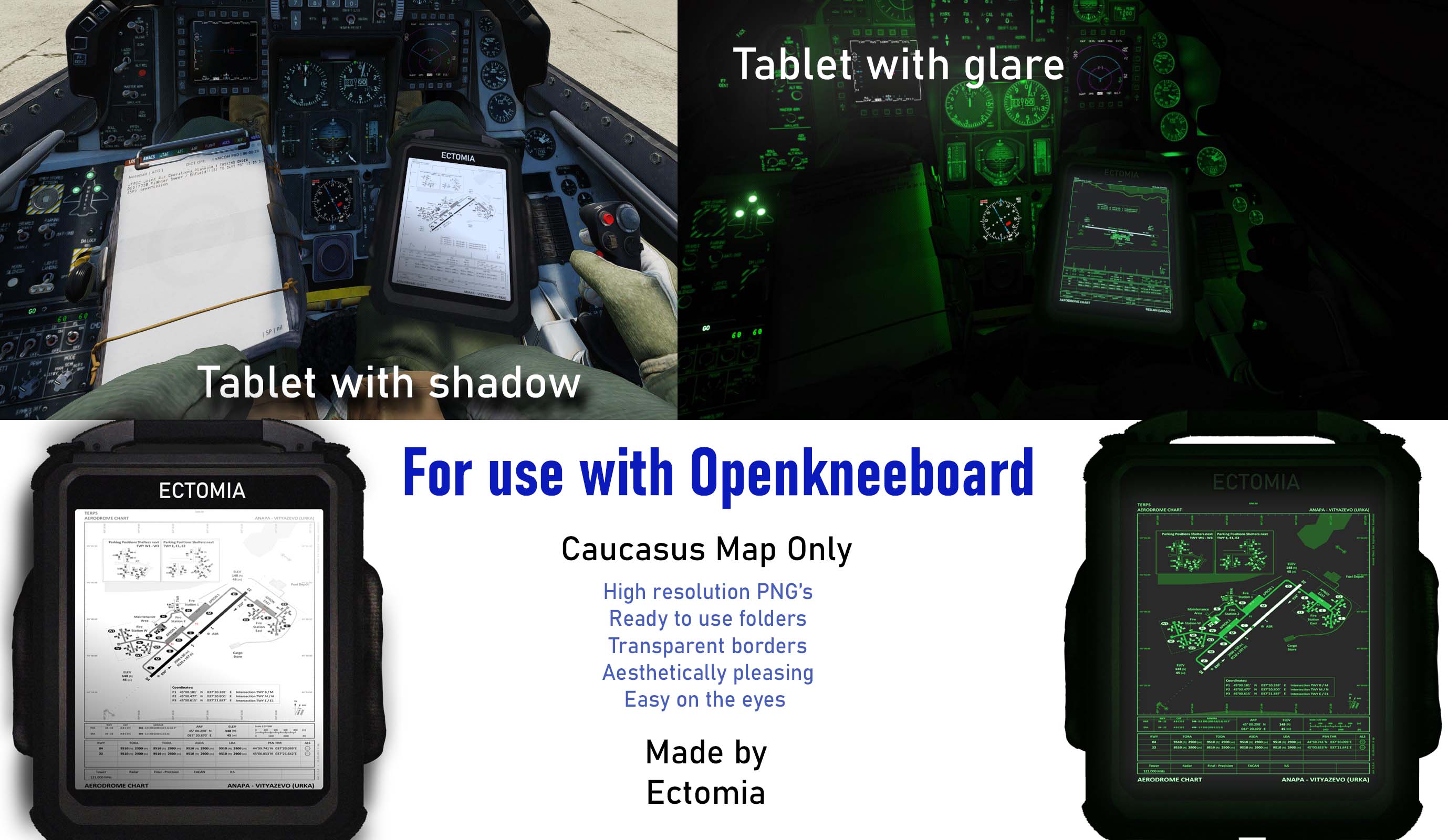
Open Kneeboard Tablet Style Airfield Data for Caucasus
I was getting sore eyes from night missions looking at bright white kneeboards
This blends in with the cockpit and easier on the eyes. Transparent borders makes it look better
File sizes are large because of the clarity of the data on the screen
Extract folders and add within Open Kneeboard
Shadow Casting from day version
Screen Glare on night version
License: Freeware - Free version, Unlimited distribution
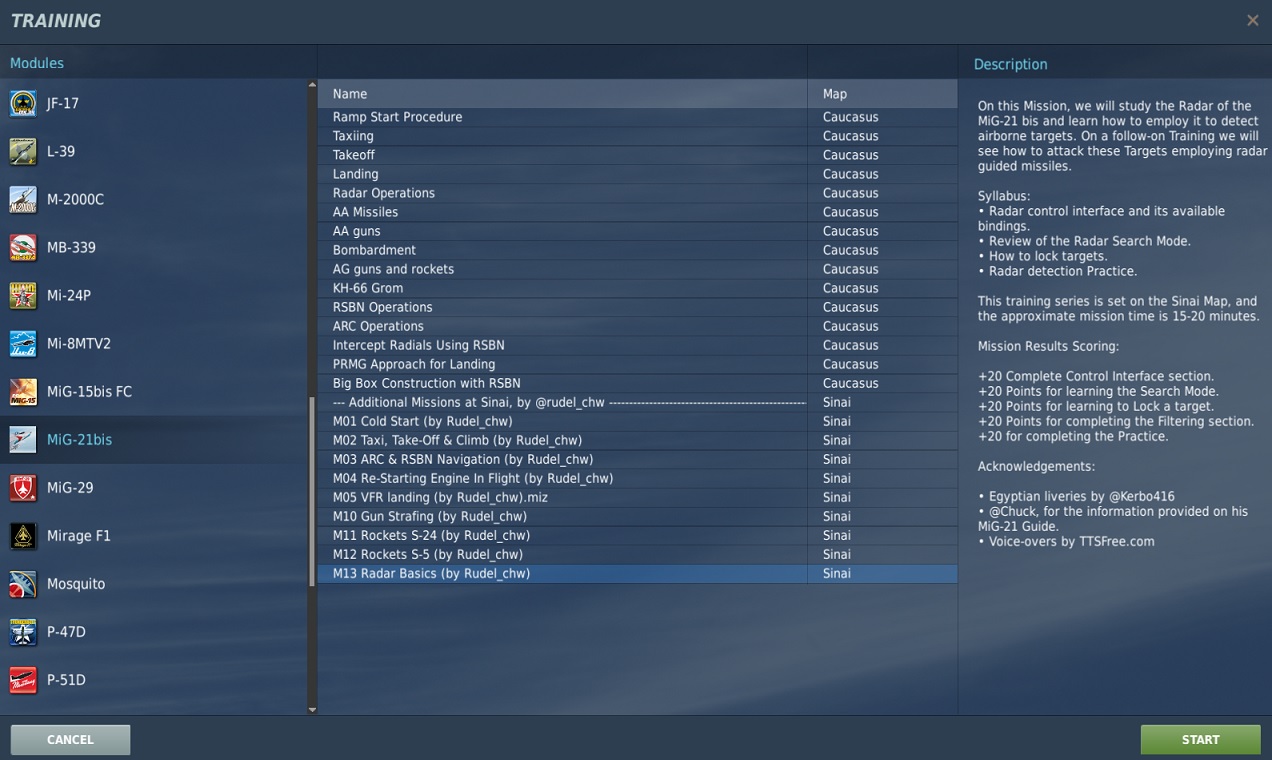
The release of the Phantom sparked my interest on re-learning its nemesis, the MiG-21 bis. Some years ago I edited a few training missions for this aircraft set at Caucasus, that I never finished enough to release. The recent improvements to the Sinai map, plus the egyptian liveries made by the user @Kerbo416, gave me the energy to work on porting these missions. This file contains the first three Training missions set on this Map, and I intend to keep adding more, hopefully at the rate of 1 per month.
License: Freeware - Free version, Do Not Redistribute
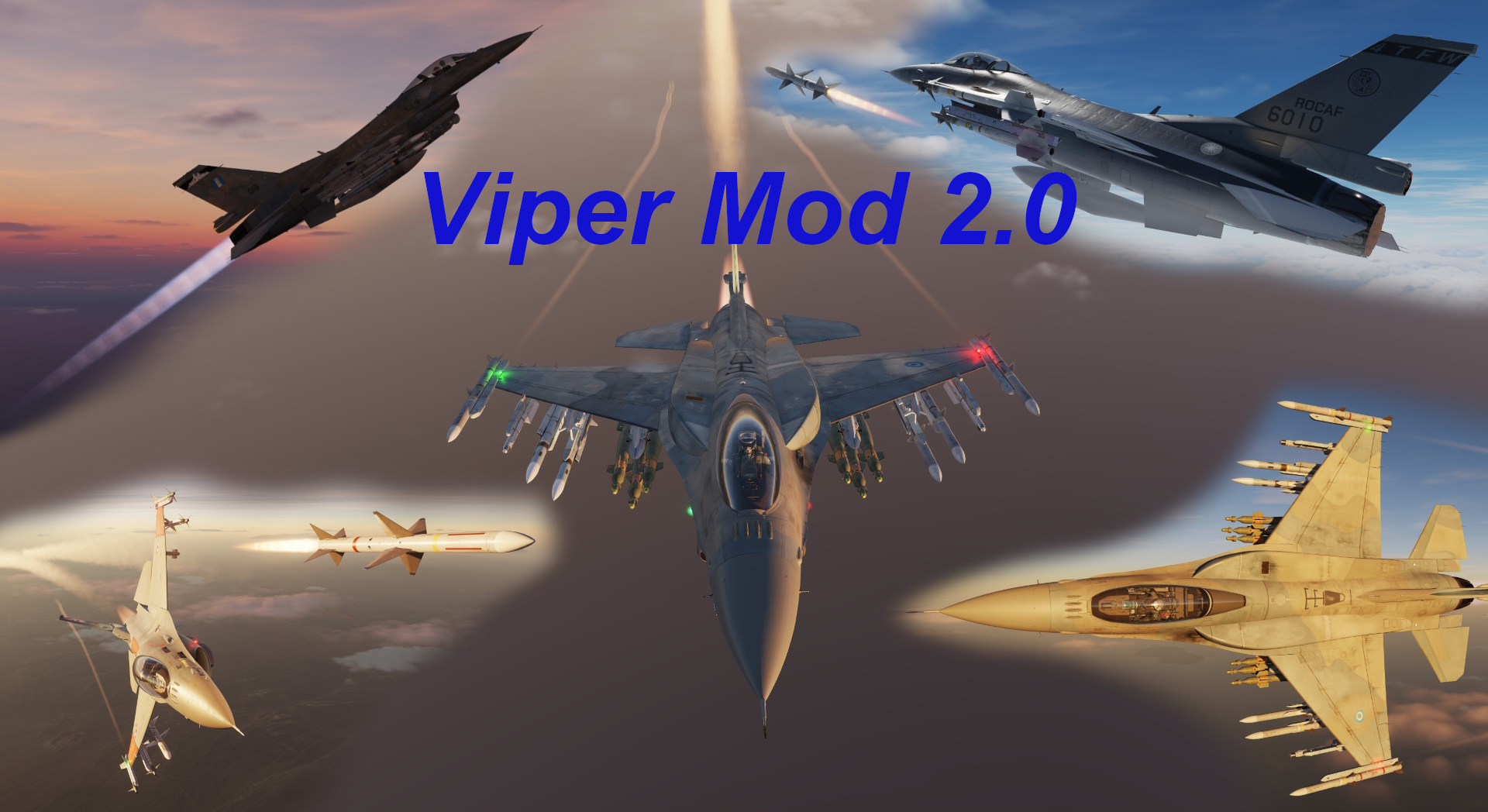
This Mod contains different flyable versions of the F-16, with player usable period appropriate weapons (of course with limitations), as well as flight performance adjustments. This is a limited re-release of the Viper Variations Mod updated to DCS 2.9.21
License: Freeware - Free version, Do Not Redistribute
link for mod : https://splitair-dcs.com/?page_id=384
Bonjour,
Suite à une demande privée de faire une livrée d'un 2000-D Opex en zone Moyen Orient, j'ai conçu cette livrée OPEX pour les zone climat chaud. Je suis parti d'une base de photos réelles d'un appareil de l'EC3/3 Ardennes. Le but étant d'ajouter une couche de poussière/sable pour augmenter la sensation d'immersion quand on vole dans les maps au dessus de zones désertiques.
J'espère que cette version vous plaira.
Bons vols !
Albator 78
License: Freeware - Free version, Do Not Redistribute
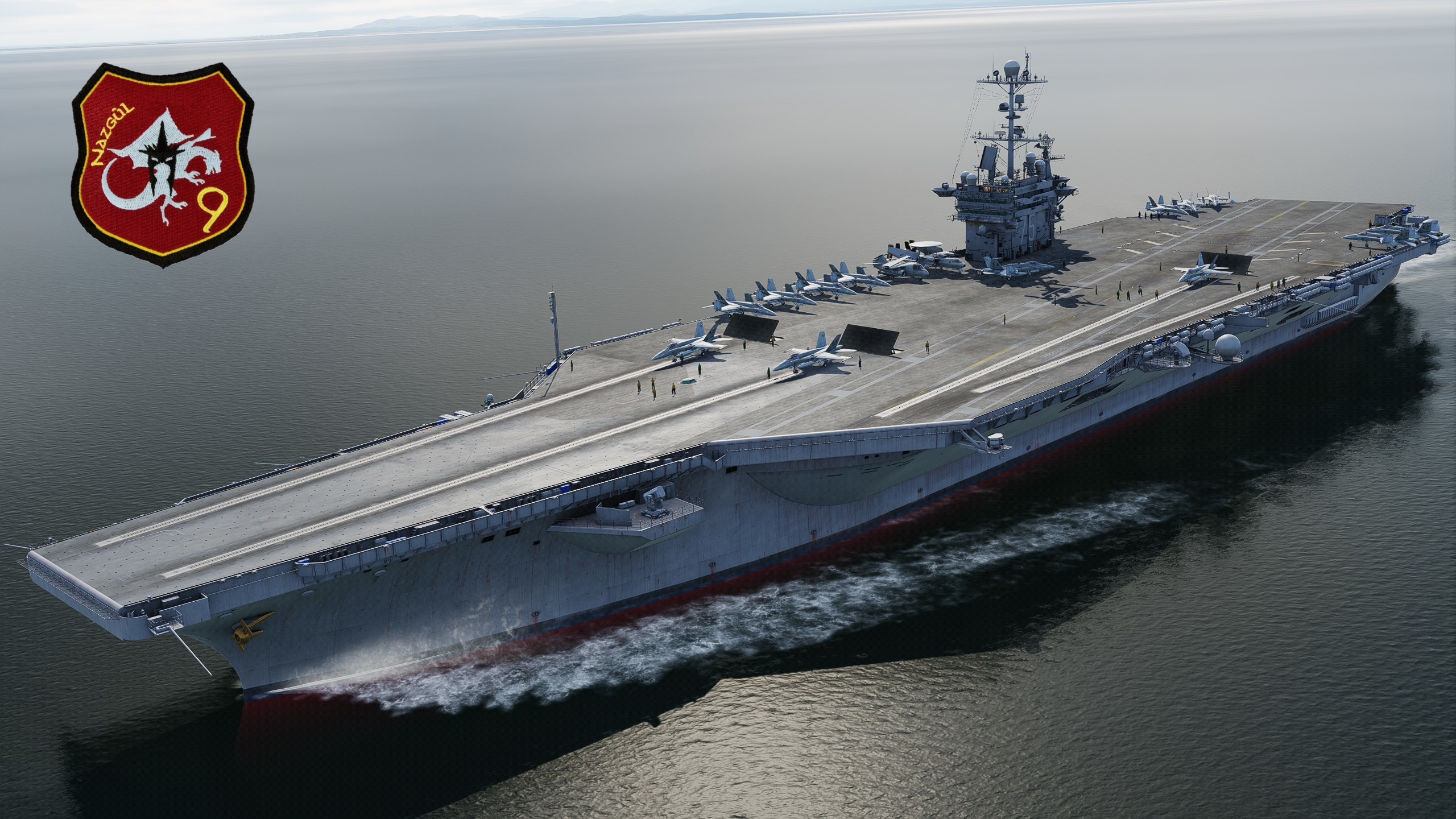
Hey folks. This is the Nazgûl. I'm making available these single missions that I've been using to test the new Deck Crew Update. In them I've put together a layout in which the Deck Crew will guide us to Cat 3 and 4. These are test missions. But feel free to download and test them.
In these we will be able to take off and land. These are missions created with the FA-18 but nothing prevents you from using the mission editor and changing them to the F-14, for example. The TACAN is the 71 standard and the ICLS 11. In some of them, after landing, I realized that the Crew can't take us to the parking lot because there are several aircraft on the deck. So if you want, ignore them if you prefer or open another new mission. These are tests. In others I put some FA-18 AI taking off with the intention of them using some spaces and thus being able to take off from Cat 3 and 4. In others I just used static FA-18 objects to occupy the apron and thus make us start from the spaces at the back. Seeya!
License: Freeware - Free version, Unlimited distribution
2-20 Multiplayer F-16C, F-15E, F-15C, A-10C II COOP Mission
Skills Required: Cold Start, Formation Fly, SEAD, Basic Surface Attack, Air Combat
Module Required: One or more of F-16C / F-15E / F-15C / A-10C II, Persian Gulf Map.
License: Freeware - Free version, Do Not Redistribute
This livery is for the Chiller Juice Studios Super Hornet Mod.
Official credits go to former CJS members Chip, and Matthard
Join our Discord here: https://discord.gg/aaKQrp4C
License: Freeware - Free version, Do Not Redistribute
This livery is for the Chiller Juice Studios Super Hornet Mod.
Official credits go to former CJS members Chip, and Matthard
Join our Discord here: https://discord.gg/aaKQrp4C
License: Freeware - Free version, Do Not Redistribute
This livery is for the Chiller Juice Studios Super Hornet Mod.
Official credits go to former CJS members Chip, and Matthard
Join our Discord here: https://discord.gg/aaKQrp4C
License: Freeware - Free version, Do Not Redistribute
This livery is for the Chiller Juice Studios Super Hornet Mod.
Official credits go to former CJS members Chip, and Matthard
Join our Discord here: https://discord.gg/aaKQrp4C
License: Freeware - Free version, Do Not Redistribute
This livery is for the Chiller Juice Studios Super Hornet Mod.
Official credits go to former CJS members Chip, and Matthard
Join our Discord here: https://discord.gg/aaKQrp4C
License: Freeware - Free version, Do Not Redistribute
This livery is for the Chiller Juice Studios Super Hornet Mod.
Official credits go to former CJS members Chip, and Matthard
Join our Discord here: https://discord.gg/aaKQrp4C
License: Freeware - Free version, Do Not Redistribute
This livery is for the Chiller Juice Studios Super Hornet Mod.
Official credits go to former CJS members Chip, and Matthard
Join our Discord here: https://discord.gg/aaKQrp4C
License: Freeware - Free version, Do Not Redistribute
This livery is for the Chiller Juice Studios Super Hornet Mod.
Official credits go to former CJS members Chip, and Matthard
Join our Discord here: https://discord.gg/aaKQrp4C
License: Freeware - Free version, Do Not Redistribute
This livery is for the Chiller Juice Studios Super Hornet Mod.
Official credits go to former CJS members Chip, and Matthard
Join our Discord here: https://discord.gg/aaKQrp4C
License: Freeware - Free version, Do Not Redistribute
Here are my colored Visor options for the Hornet Pilot.
- Reworked JHMCS colorization
- Used different colors from original photos to recreate the visors for the HGU55 Helmet.
License: Freeware - Free version, Unlimited distribution
This helmet pack was also created with the help of cobra_B39. Working from original squadron photos and videos, we worked together to replicate details as closely as possible to actual squadron designs. Together, we are pleased to bring these F/A-18 helmets to the DCS community.
In this pack, you get HGU-55 and HGU-68 (JHMCS) helmet variants featuring squadron art for:
- VFA 27 Royal Maces
- VFA 34 Blue Blasters different HMD skins
- VFA 37 Raging Bulls
- VFA 83 Rampagers
- VFA 143 Puckin Dogs
- VFA 192 Golden Dragons
- VFA 232 Red Devils
License: Freeware - Free version, Unlimited distribution
This helmet pack was also created with the help of cobra_B39. Working from original squadron photos and videos, we worked together to replicate details as closely as possible to actual squadron designs. Together, we are pleased to bring these F/A-18 helmets to the DCS community.
In this pack, you get HGU-55 and HGU-68 (JHMCS) helmet variants featuring squadron art for:
- VFA 27 Royal Maces
- VFA 34 Blue Blasters different HMD skins
- VFA 37 Raging Bulls
- VFA 83 Rampagers
- VFA 143 Puckin Dogs
- VFA 192 Golden Dragons
- VFA 232 Red Devils
License: Freeware - Free version, Unlimited distribution
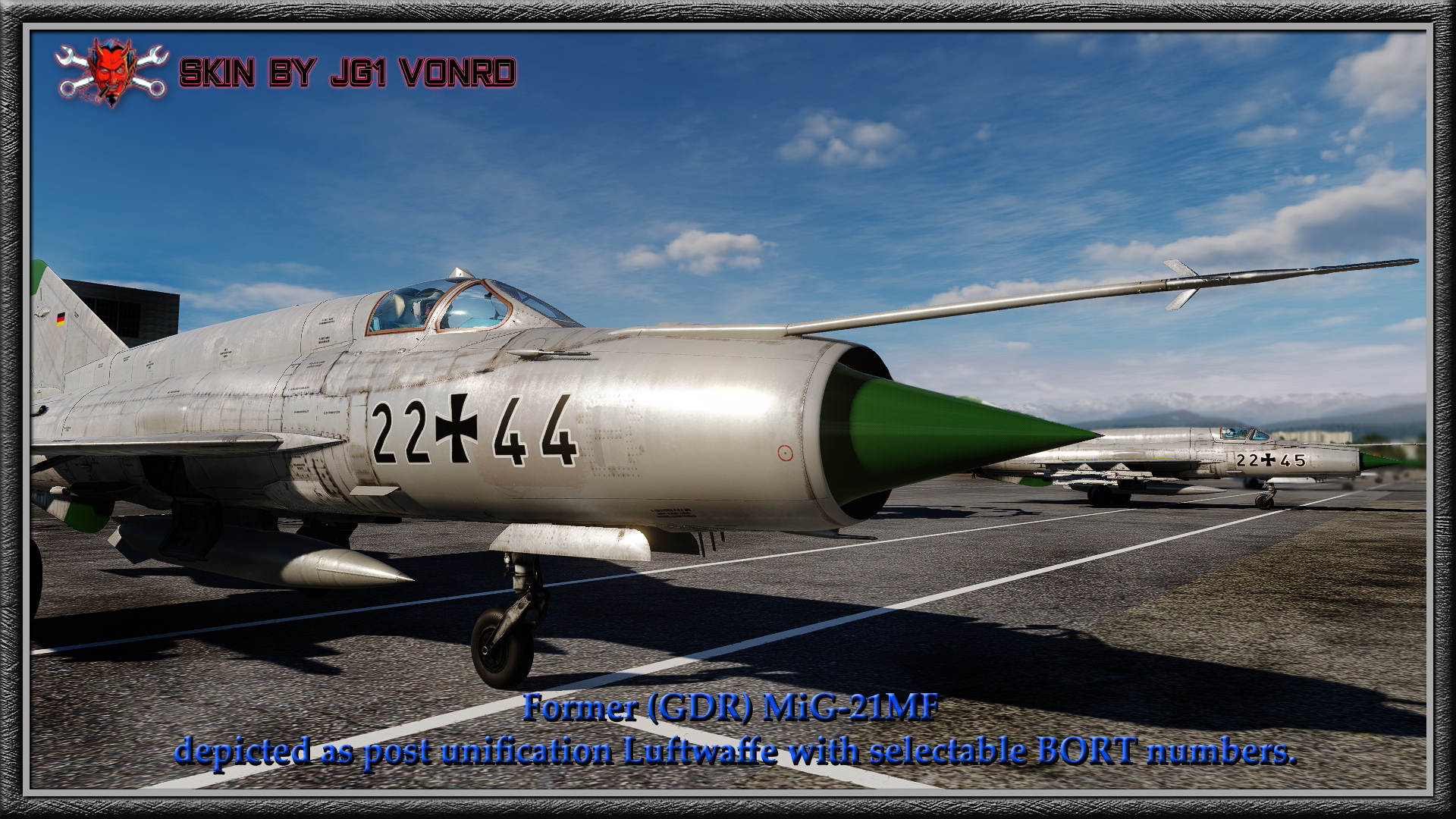
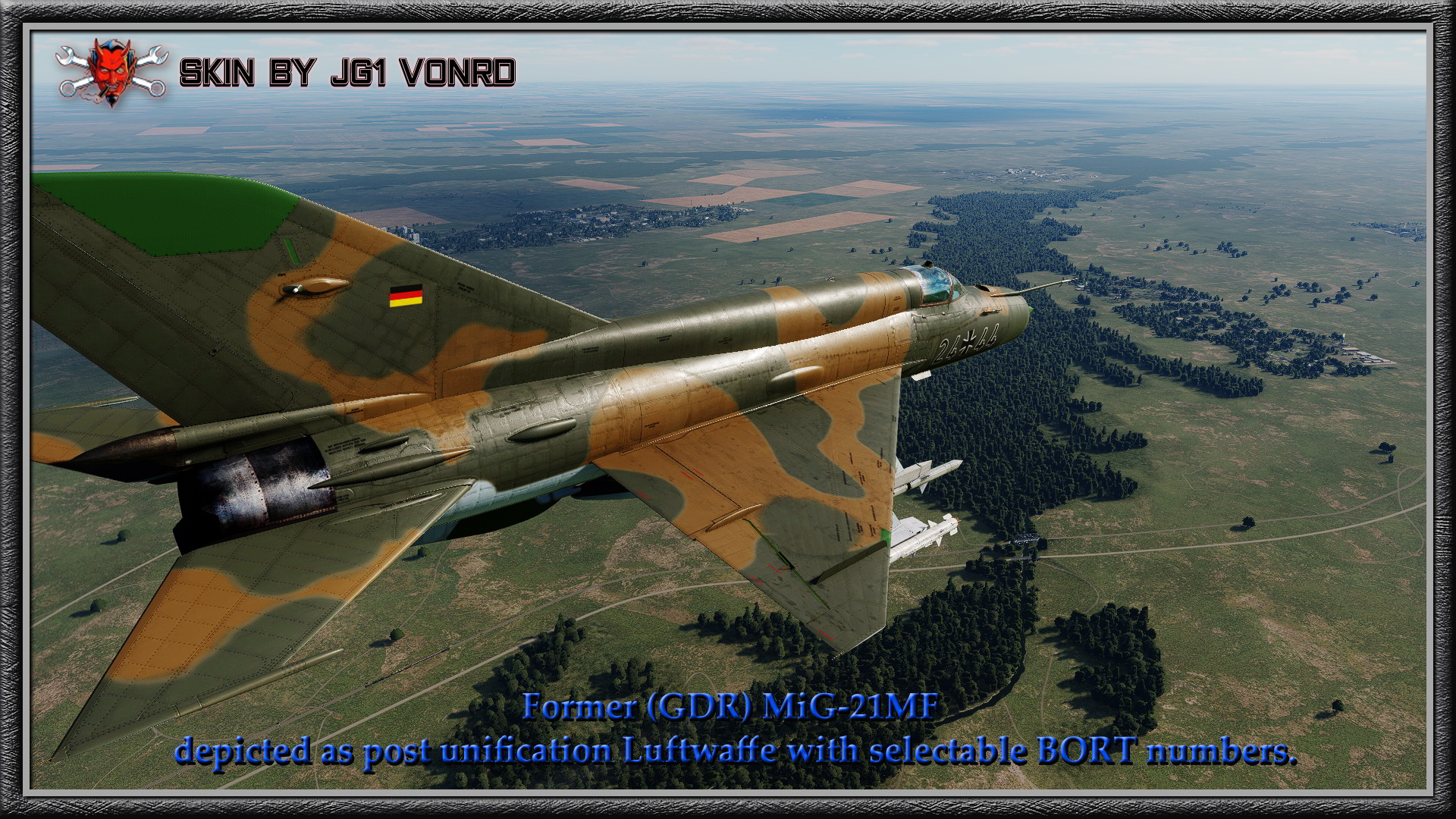
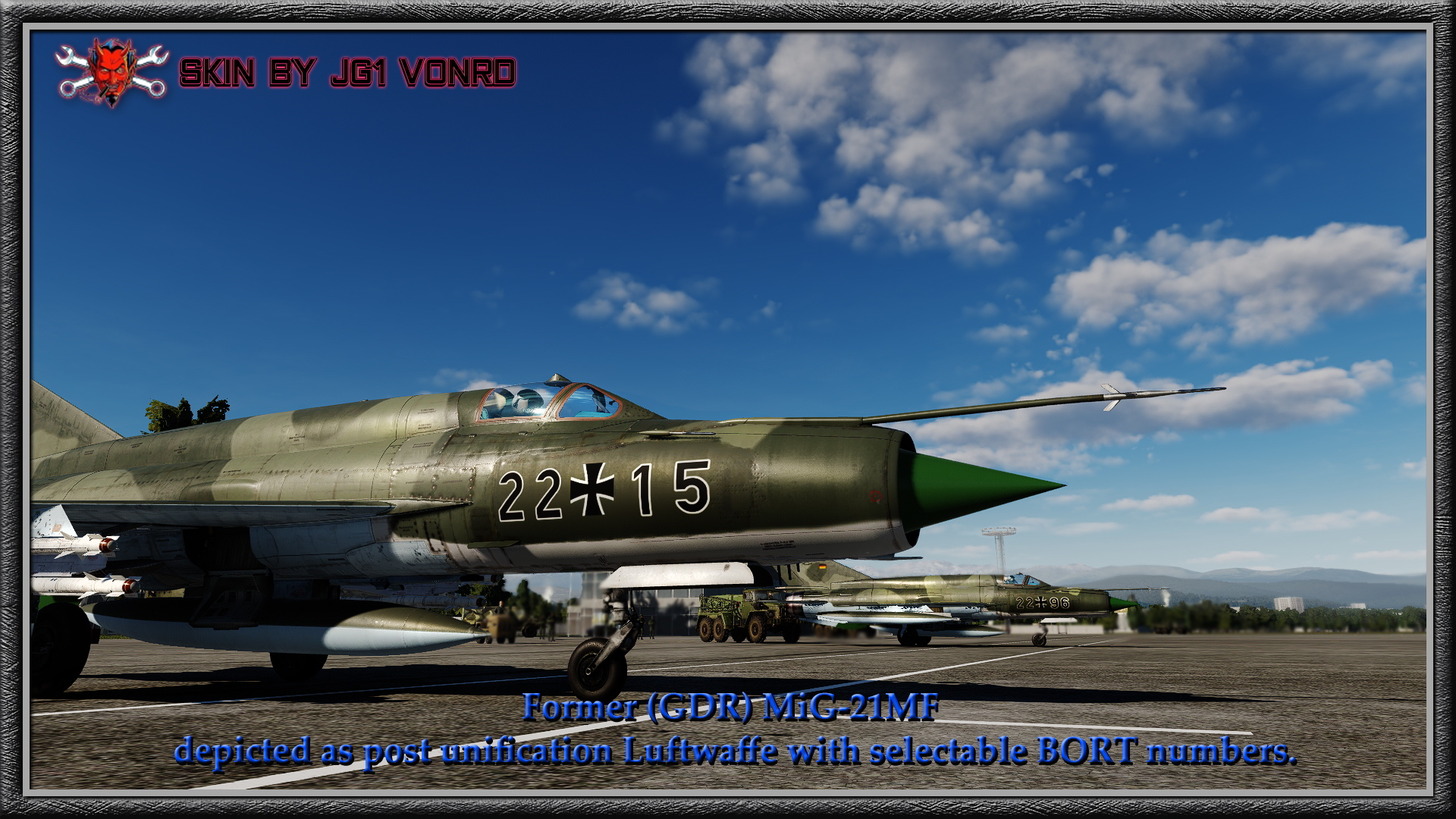
This is the best I can do with selectable Bort numbers for post unification MiG-21. The numbers have to be this large due to the kerning (horizontal spacing) of the Bort numbers being fixed. I can make the font smaller but they would be spaced too far apart and would look strange. Even though they're slightly larger than historical, I think they look pretty good. There are three skins in this series but the combined skins zip file is too large to post in User Files so I am posting them seperately. There is one each in all green camo, tan and green camo and silver paint.
The registration numbers are 22+xx or 24+xx depending on which skin is selected. the "xx" represents the selectable BORT numbers. To select your desired bort number type "00xx" in the tail number window in the skin selection window. So if you want "22+41" on the nose, type in "0041" as your tail number.
License: Freeware - Free version, Do Not Redistribute
This is the best I can do with selectable Bort numbers for post unification MiG-21. The numbers have to be this large due to the kerning (horizontal spacing) of the Bort numbers being fixed. I can make the font smaller but they would be spaced too far apart and would look strange. Even though they're slightly larger than historical, I think they look pretty good. There are three skins in this series but the combined skins zip file is too large to post in User Files so I am posting them seperately. There is one each in all green camo, tan and green camo and silver paint.
The registration numbers are 22+xx or 24+xx depending on which skin is selected. the "xx" represents the selectable BORT numbers. To select your desired bort number type "00xx" in the tail number window in the skin selection window. So if you want "22+41" on the nose, type in "0041" as your tail number.
License: Freeware - Free version, Do Not Redistribute
This is the best I can do with selectable Bort numbers for post unification MiG-21. The numbers have to be this large due to the kerning (horizontal spacing) of the Bort numbers being fixed. I can make the font smaller but they would be spaced too far apart and would look strange. Even though they're slightly larger than historical, I think they look pretty good. There are three skins in this series but the combined skins zip file is too large to post in User Files so I am posting them seperately. There is one each in all green camo, tan and green camo and silver paint.
The registration numbers are 22+xx or 24+xx depending on which skin is selected. the "xx" represents the selectable BORT numbers. To select your desired bort number type "00xx" in the tail number window in the skin selection window. So if you want "22+41" on the nose, type in "0041" as your tail number.
License: Freeware - Free version, Do Not Redistribute
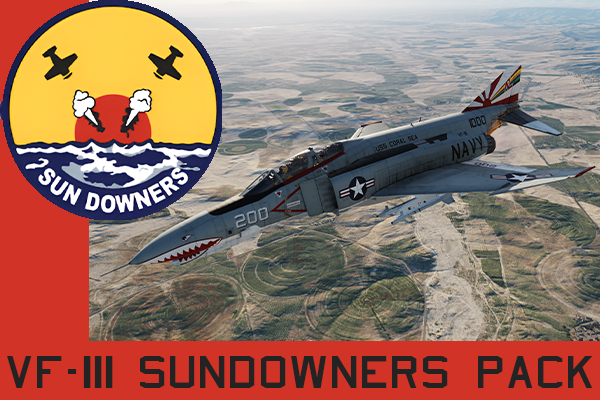
A depiction of VF-111 Sundowners F-4B flown out of the USS Coral Sea and F-4N of the USS Roosevelt. Comes with 3 primary paint schemes with several different aircraft under those paint schemes with modex and bureau numbers based off of pictures; more will come soon. The 3 paint schemes are a full vertical stabilizer sunburst, rudder only sunburst, and for the Roosevelt, the Bicentennial tail. There are also the CAG schemes for modex 200 of both the Roosevelt Bicentennial scheme, and the USS Coral Sea versions.
License: Freeware - Free version, Do Not Redistribute
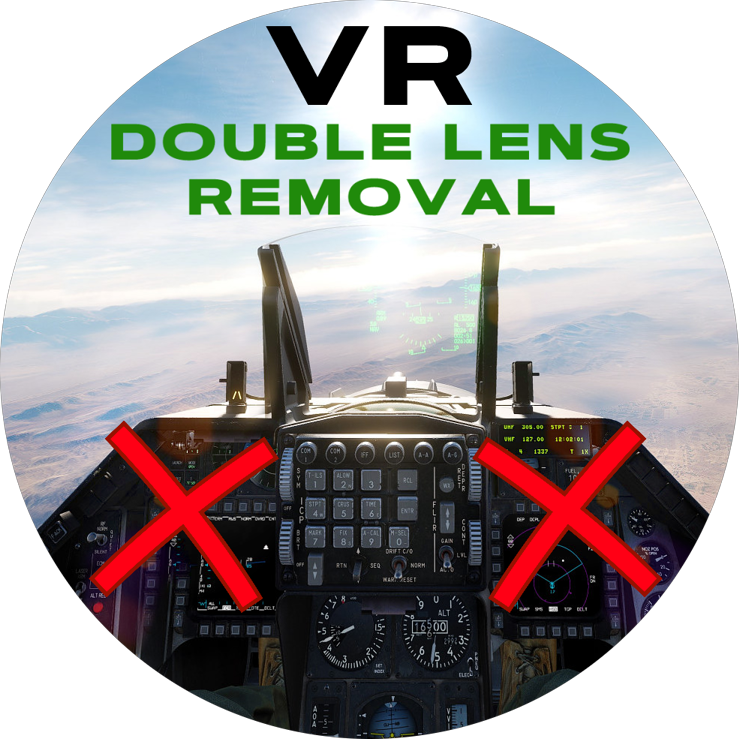
VR Lens Effect Removal - It is a small tool that I have been using from years and is intended for VR users only (although it has no negative effect on the 2D image, it will also remove that lens effect leaving the rest). The author of the idea is @Clorydric and I made it a modification that is easy to install, uninstall using JSGME. Currently, I have adapted the mod to the new version of DCS lighting (the patch that introduced fog, i.e. v.2.9.10.3948, although this file has not been touched for a long time and does not need to be updated very often). The modification removes the double lens effect (completely) in VR while maintaining all the other new lighting effects. What is more, VR users who turn off Lens Effect (Flare) lose a lot of cool lighting effects, so (at least for me) the best option is still to have Lens Effect: Flare + Dirt enabled in the options + Bloom in the VR tab and use this mod.
License: Freeware - Free version, Do Not Redistribute
This livery is for the Chiller Juice Studios Super Hornet Mod.
Official credits go to former CJS members Chip, and Matthard
Join our Discord here: https://discord.gg/aaKQrp4C
License: Freeware - Free version, Do Not Redistribute
This livery is for the Chiller Juice Studios Super Hornet Mod.
Official credits go to former CJS members Chip, and Matthard
Join our Discord here: https://discord.gg/aaKQrp4C
License: Freeware - Free version, Do Not Redistribute
This livery is for the Chiller Juice Studios Super Hornet Mod.
Official credits go to former CJS members Chip, and Matthard
Join our Discord here: https://discord.gg/aaKQrp4C
License: Freeware - Free version, Do Not Redistribute
This livery is for the Chiller Juice Studios Super Hornet Mod.
Official credits go to former CJS members Chip, and Matthard
Join our Discord here: https://discord.gg/aaKQrp4C
License: Freeware - Free version, Do Not Redistribute
We use cookies to provide you with a better onsite experience. By continuing to browse the site you are agreeing to our use of cookies in accordance with our Cookie Policy.
Found a typo? Select it with your mouse and press Ctrl+Enter.